
A LinkedIn connection request is not a sales email that happens to be short. It is a stranger asking to sit in someone else's professional inbox. Most people decide in a few seconds, and they decide with more than the note. They see your photo, your headline, and one line that either explains the ask or makes them feel sold to.
This guide is about that first line. It covers the official 200-character cap, the three personalized notes LinkedIn currently gives a free account each month, when you should send no note at all, and examples you can adapt without turning them into another template farm.
What the other person actually sees
On a phone, the request is a name, a headline, a face, and maybe 200 characters. They do not see your sequence, your ICP, or the research you meant to do. If the headline is vague and the note is flattery, they ignore it. If the note pitches a product they did not ask about, some of them hit Ignore. A few hit Report.
That is why a good request is boring on purpose. It names one real reason you are there. It does not ask for a meeting. It does not try to sound impressive. The work happens before you type: you picked the right person, and your profile can survive a five-second glance.
The official note limits
A lot of outreach posts still tell you to write a 300-character invitation. That is not what LinkedIn Help says today. The current rules, as LinkedIn publishes them:
| Rule | What LinkedIn says |
|---|---|
| Note length | Up to 200 characters, including spaces |
| Free accounts | A personalized note on up to three requests per month |
| Premium | Unlimited notes, but weekly invite limits still apply |
| Mobile People You May Know | Those invitations cannot be personalized |
| Replies | They can reply to the note without accepting the request |
Two practical consequences. First, a free account should treat a noted invite as a scarce resource, not a default. Second, if your playbook still assumes every request can carry a paragraph, the playbook is already out of date. Write to 200 characters even if a third-party tool still shows a higher box. LinkedIn can truncate or block the extra text.
Invite volume is a separate problem. Weekly connection limits move with account age, pending invites, and how often people ignore you. Do not try to max a number you saw in a 2023 screenshot. For that side of the work, read how weekly connection limits actually work.
When a note helps, and when it does not
A note is useful when the other person would otherwise have no idea why you appeared. You liked a specific post. You were in the same room. Someone they trust named them. Their team just posted a role that matches work you actually do. In those cases, the note is a caption for the request.
A note is wasted when it restates the obvious. If you commented on their post yesterday, they already have context. If a mutual connection introduced you in the comments, the introduction is the note. If your headline already says you work on the same problem they just wrote about, a blank request can look cleaner than a stiff compliment.
Never spend one of the three monthly notes on a pitch. A calendar link, a pricing page, or "would love to hop on a call" turns a networking action into an ad. People did not opt into that, and some of them will treat it as spam. For the psychology of that reaction, see why prospects report messages.
A structure that fits 200 characters
You do not have room for a greeting paragraph, a compliment, a company intro, and a call to action. You have room for one observation and one reason. This is the shape that keeps fitting:
- Their name, once.
- One specific thing only they would recognize: a post, a hire, an event, a group remark.
- One short clause for why you are the person sending this.
- Stop. No meeting ask. No link. No "would love to find synergies."
In one line: name, specific thing, why you, then stop. If you cannot name the specific thing without opening their profile, you are not ready to send a noted invite. Send nothing, or send a blank request only if the profile-to-profile fit is already obvious.
Fix the profile before you write
The note cannot rescue a profile that looks like a landing page for a tool nobody asked for. Before you send anything, check four things the recipient will see next to your name:
- A photo that looks like you, not a logo or a conference booth.
- A headline that names the work, not a slogan. "Founder, billing for agencies" beats "Helping teams grow without limits."
- An About section a stranger can parse in twenty seconds.
- Some recent public activity, so the account does not look unused.
If those four are weak, fix them first. A tight note next to a vague headline still feels like a trap. For the full profile pass, use how to treat your LinkedIn profile as the landing page for outbound.
Notes that get ignored
These three patterns show up in almost every weak campaign. They are short enough to send. They still fail because they could be pasted onto anyone.
Hi Sarah, I came across your profile and was highly impressed by your background. Let us connect!
"Impressed by your background" is a tell. It means you did not pick a detail. A rewrite that keeps the same length:
Hi Sarah. Your comment on inbound teams drowning in no-shows was the useful part of that thread. Connecting here.
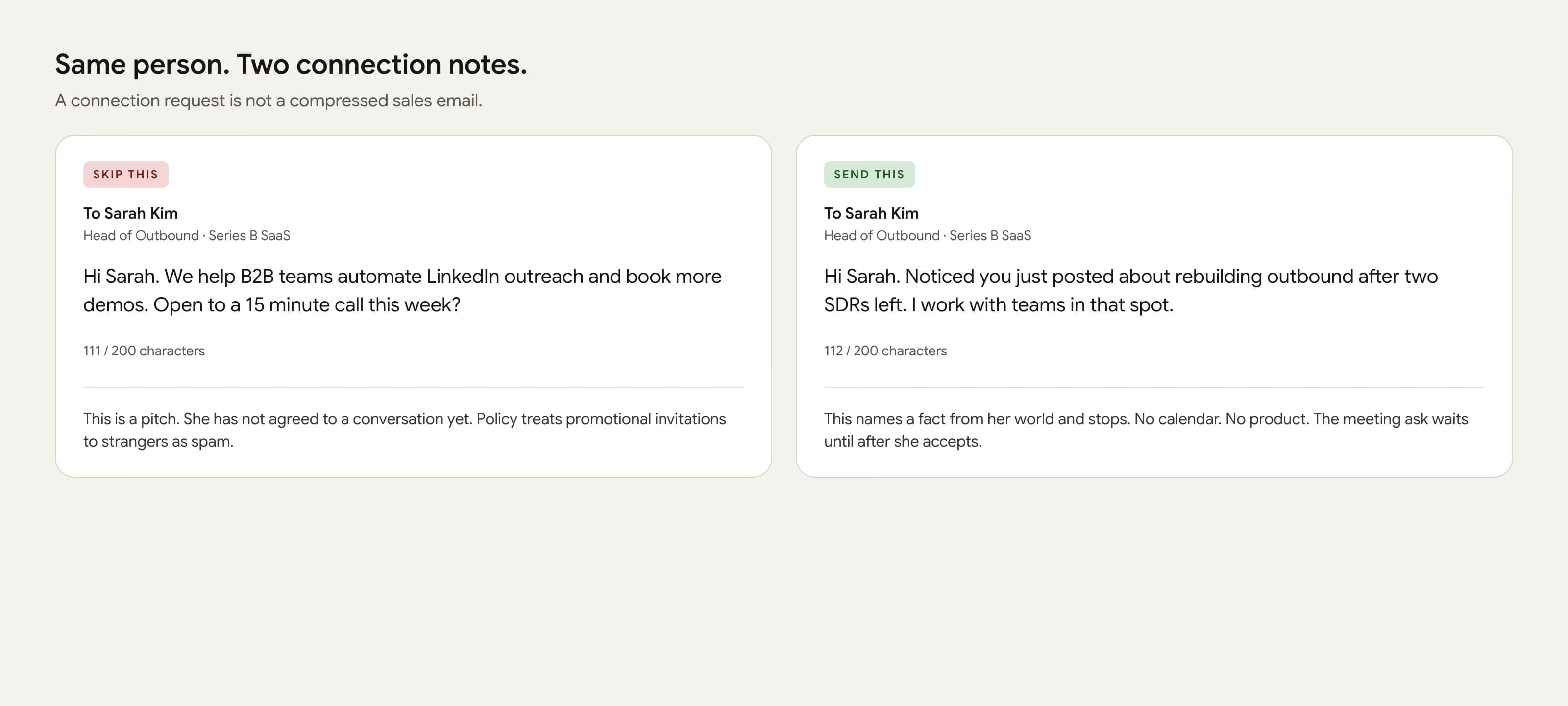
Hi Sarah. We help B2B teams automate LinkedIn outreach and book more demos. Open to a 15 minute call this week?
This is a cold email wearing a connection note. They have not agreed to a conversation yet. Same person, same research, no ask:
Hi Sarah. Noticed you just posted about rebuilding outbound after two SDRs left. I work with teams in that spot.
Hi Sarah, would love to connect and explore ways we might collaborate.
Collaborate on what? A group, a post, or a shared problem gives the request a place to land:
Hi Sarah. We are both in the B2B onboarding group, and your note on implementation time was specific. Connecting here.
Notes that get accepted
The notes below are written to the 200-character cap. Do not copy them word for word. Copy the job each one does. If you cannot fill the specific detail from their page, do not send that version.
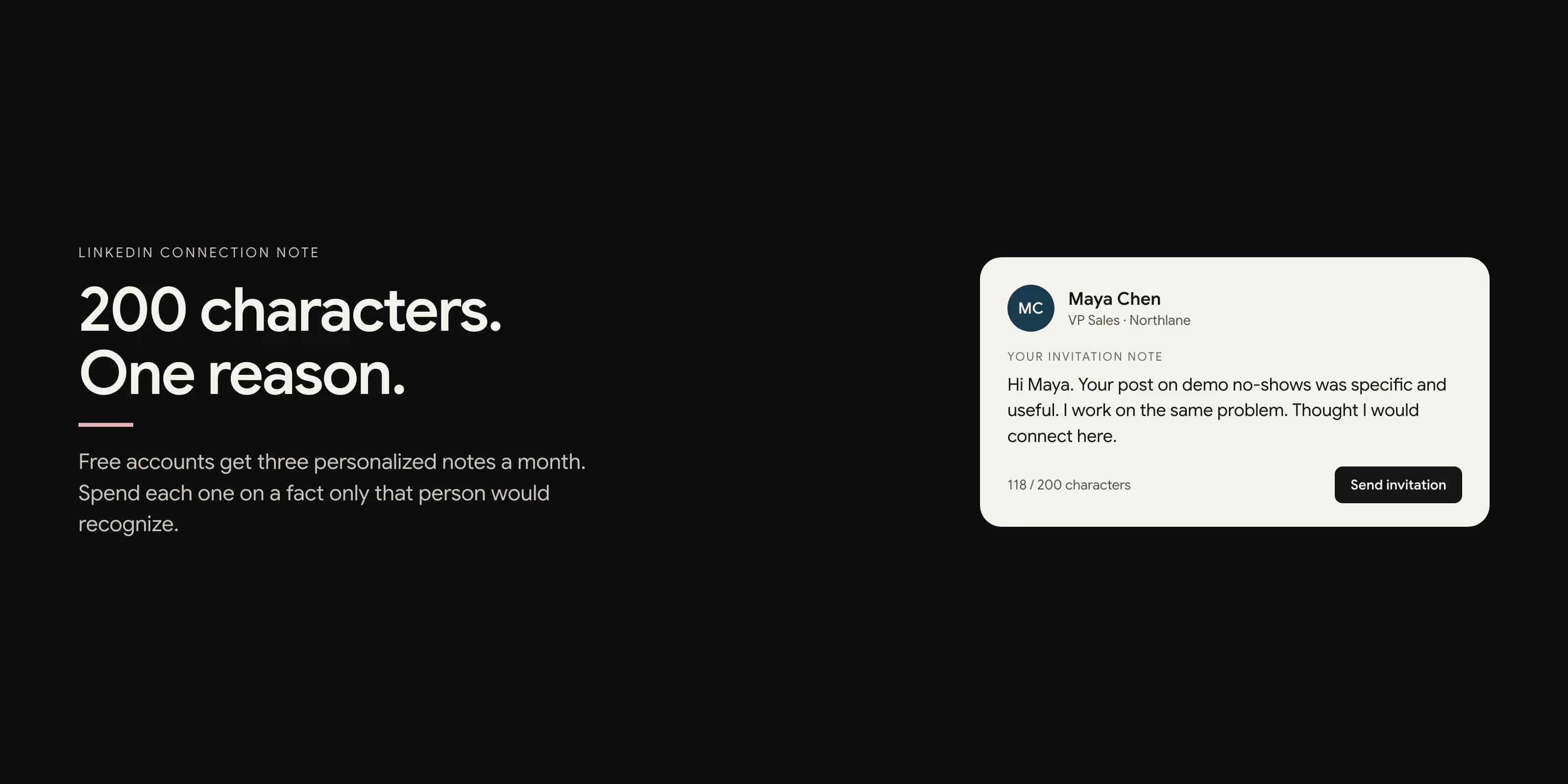
Hi Maya. Your post on demo no-shows was specific and useful. I work on the same problem. Thought I would connect here.
Use this only when you actually read the post. Mentioning a title they used is stronger than mentioning that they "shared great insights."
Hi Priya. Saw Northlane is hiring two AEs while you own outbound. I talk to teams in that exact squeeze. Worth connecting here.
This works when the role is real and recent. It fails when you spray it at every VP Sales whose company has any open job. The hire has to touch the work you do.
Hi Jordan. We were both in the pricing panel at SaaStr. Your point on usage floors stuck with me. Connecting so I can follow your work.
Events, dinners, Slack groups, and comment threads are the easiest notes to write because the context already exists. If you were not in the room, do not invent it.
Hi Alex. Priya Shah suggested I reach out. I am the founder of a small outbound tool, not pitching, just connecting as she asked.
Name the introducer only if they would confirm it. Fake mutual context is worse than no note. People check.
Hi Sam. I have been following how you are taking Hallway from design partners to first paid seats. Connecting to keep up.
Peer notes work when the specific journey is real. They fail when every founder gets "love what you are building." If you cannot name the current chapter, you do not have a founder note. You have flattery.
Write one in five minutes
If a request takes twenty minutes, you will stop sending them. If it takes twenty seconds, you will send junk. Five minutes is enough to be specific:
- Minute 1. Open the profile, the company page, and the last three posts. Write down one fact you could not have guessed from the job title.
- Minute 2. Decide the relationship. Peer, founder, former colleague, or someone who read their work. If none of those are true, you may not have a reason.
- Minute 3. Draft one sentence that joins the fact to the relationship. No product nouns.
- Minute 4. Cut it under 160 characters so it still fits if LinkedIn counts an extra space or a name you forgot.
- Minute 5. Read it as if you did not send it. If it could fit any other VP, throw it away.
Do this for a small batch, not a hundred names. A noted invite is expensive on a free account and still expensive on a healthy Premium account, because ignore and report rates follow you into next week's limits.
What to send after they accept
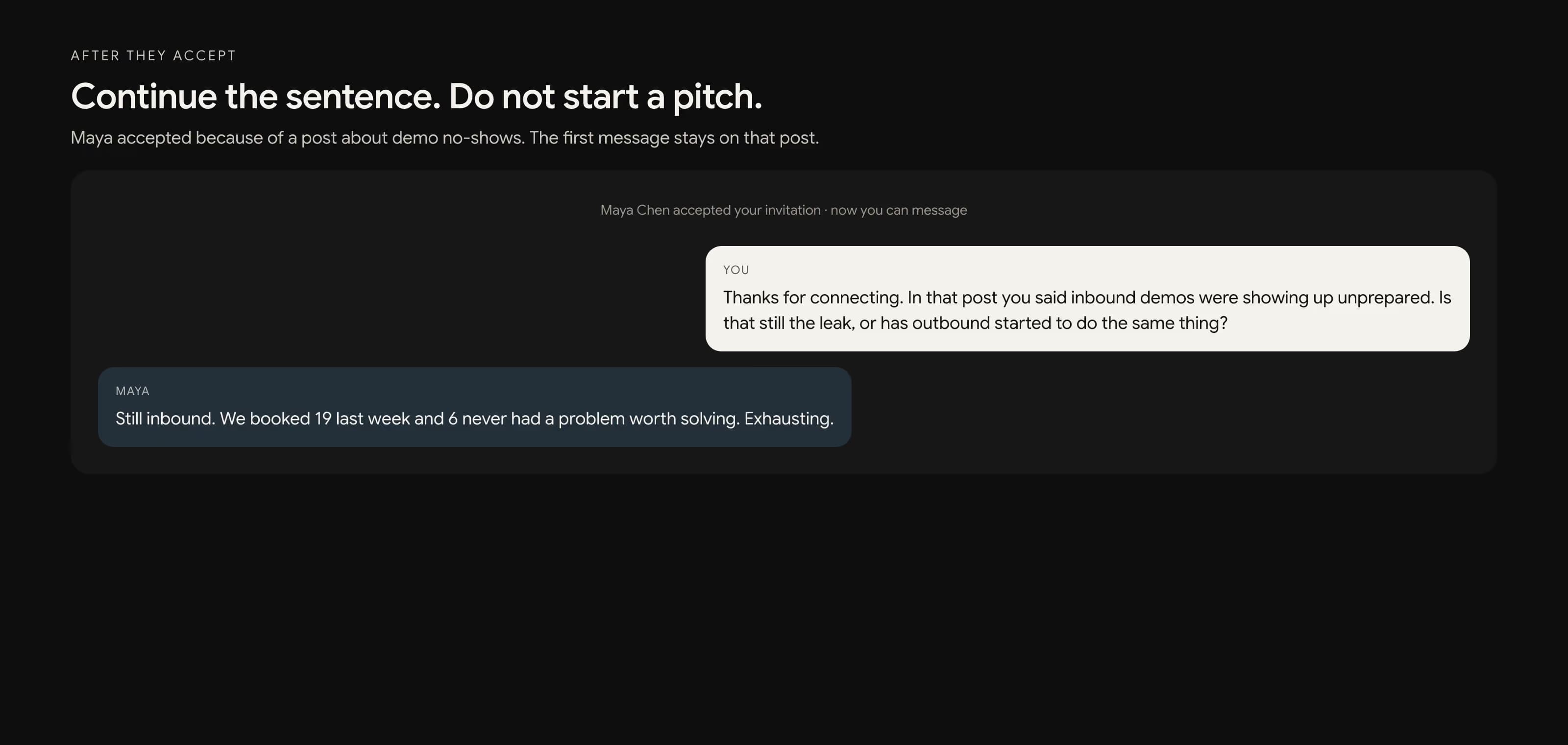
The first message after they accept should continue the sentence you started. If you mentioned their post, ask one concrete question about that post. If you mentioned a hire, ask how they are splitting the new role against the current team. If you mentioned an event, reference the same point. Do not paste a deck. Do not send a Calendly link in the same breath as "great to connect."
Some people will accept and never reply. That is normal. Wait a few days. Add one useful follow-up, then leave them alone. A connection is a long inbox, not a countdown to a demo.
How to measure acceptance honestly
Track requests in batches of twenty, and keep each batch to one segment. Mix founders, managers, and recruiters in the same pile and the number becomes theater.
For each batch, write down:
- Who they are, in one line (role, company stage, how you found them).
- Note or no note.
- The context source: post, hire, event, intro, or none.
- Sent, accepted, ignored, and replied.
Ranges that operators actually see, not a fake benchmark. People you already interacted with often accept more than half the time. A specific note to a stranger often lands between 25 and 45 percent. A generic pitch to a job-title list can sit under 20 percent and will also collect ignores. If a batch is under 20 percent, do not send more of it. Change the list or the reason, not the volume.
New or quiet accounts should not jump into noted invites at all. Warm the profile first with real activity. The 14-day version of that is in how to warm up a LinkedIn account.
The request that gets accepted is the one that looks like it came from a person who had a reason. Everything else is decoration, and LinkedIn does not give you much room for decoration.
Frequently Asked Questions
LinkedIn Help currently caps a personalized invitation at 200 characters, including spaces. That is the number to write to. Some older posts still say 300. Treat 200 as the safe limit unless the field in your app shows otherwise.
On a free account, LinkedIn currently allows a personalized note on up to three connection requests per month. Premium members can add a note to every invitation, though weekly invite limits still apply. People You May Know invitations on the mobile app cannot be personalized.
No. Add a note when the person would not otherwise know why you are reaching out. Skip it when you already commented, met them, or were introduced. A blank request from a complete, relevant profile often beats a generic compliment.
Do not pitch, attach a calendar link, drop a tracking URL, or flatter their background. Do not claim a mutual connection you do not have. The note is a reason to connect, not a first sales email.
It depends on how cold the list is. People you already interacted with often accept more than half the time. A specific note to a stranger is often in the 25 to 45 percent range. A generic pitch to a broad title list can sit under 20 percent and attracts ignores and reports. Track by segment, not one blended number.