
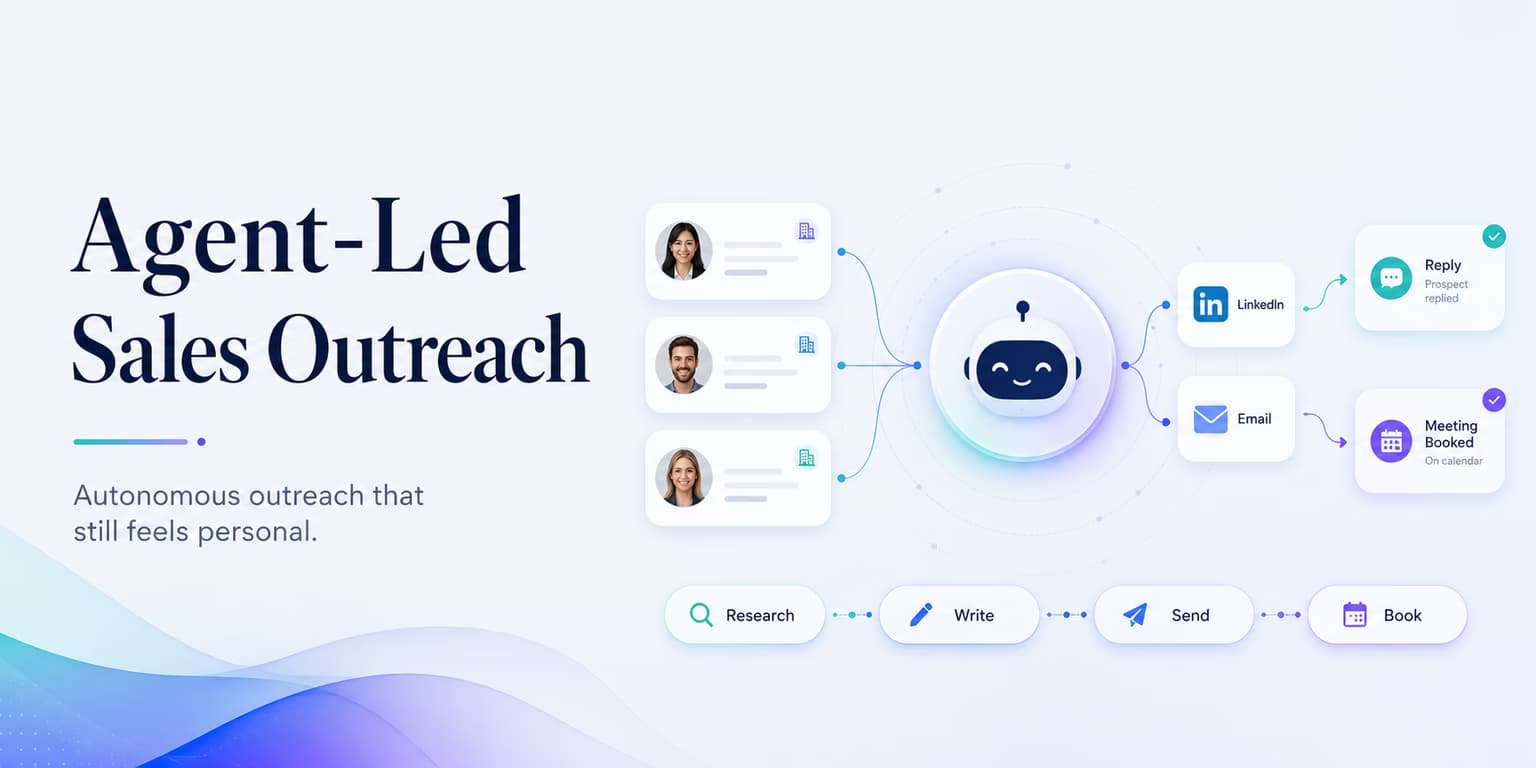
For the past decade, sales teams scaled campaigns by building longer sequences of automated emails and LinkedIn messages. That model is failing. Buyers recognize those sequences as automated spam, and platform filters block them before they land.
The teams that succeed today are moving away from static sequencers and adopting agent-led sales outreach. Instead of running a fixed series of messages, they deploy autonomous AI agents that analyze prospect context, score leads against an Ideal Customer Profile (ICP), write personalized pitches, and handle incoming replies.
This shift requires a new approach to sales operations. You must move from building rigid templates to designing toolsets and guardrails that allow agents to operate safely on behalf of your brand. When configured correctly, sales agents can manage your entire outbound pipeline, freeing up your team to focus on closing deals.
Omentir supports this transition by exposing a hosted Model Context Protocol (MCP) server and a REST API. Developers and growth engineers can connect agents like Claude or custom LLM frameworks to their LinkedIn outbound stack. The rest of this post covers how to build that pipeline.
The key is to design the agent as an operator, not a magician. It should have a narrow job, trusted context, clear tools, and visible checkpoints. If you ask a model to "go get us customers," it will make assumptions. If you ask it to inspect the product profile, propose an ICP, create a draft discovery agent, and explain the evidence before launch, it becomes useful.
The autonomous agent outbound lifecycle
An autonomous sales agent does not simply blast connection requests. It executes a structured lifecycle designed to mimic the steps of a high-performing sales development representative (SDR):
- Context Review: The agent reads your product profile and team objectives to understand what you sell, who you target, and what proof points are verified.
- Lead Discovery: The agent creates search queries, scans LinkedIn daily, and extracts prospects who match your criteria.
- ICP Scoring: Every lead is scored against your fit guidelines, with clear evidence and reasons documented in your workspace.
- Copy Drafting: The agent writes personalized connection request notes and follow-up sequences grounded in prospect details.
- Execution Auditing: The agent runs a dry-run check to confirm your account limits and configurations are healthy before launching.
- Inbox Monitoring: The agent tracks incoming replies, categorizes buyer intent, and alerts your team when a prospect is ready to book a call.
By establishing this structured lifecycle, you ensure your agent operates with high quality and consistency.
The lifecycle also creates a clean audit trail. When a campaign works, you can see which ICP rule, lead signal, message angle, and follow-up path contributed to the result. When it fails, you can isolate the failure instead of blaming "AI outreach" as a whole. Maybe the lead source was too broad. Maybe the first message made an unsupported claim. Maybe the reply classification was too aggressive. The point of the lifecycle is to make those problems visible.
A strong agent-led workflow should answer four questions before it sends anything: who is this for, why now, what can we truthfully say, and what should happen if the prospect replies? If any answer is missing, the agent should pause and ask for more context.
Integration Guideline: Protect API Tokens
Mint workspace-scoped tokens on the API page. These tokens restrict agent access to single accounts and prevent them from altering billing or credentials.
Connecting sales agents via REST and OpenAPI endpoints
If your agent does not speak MCP, you can integrate it using standard REST endpoints under /api/agent/v1. The API is documented by an OpenAPI schema, allowing you to feed the endpoints directly into frameworks like LangChain or AutoGPT.
This setup lets you build custom scripts that run in the background. For example, your script can query new leads, run a custom enrichment waterfall, and use the scored results to inform a human review in Omentir.
REST is best when your team wants deterministic control over the workflow. You can decide exactly which endpoint is called, when it is called, and how errors are handled. MCP is better when you want an agent client to discover tools and decide the next safe action from context. Both approaches can be useful; the choice depends on whether you are building a fixed automation or giving an assistant controlled room to reason.
A practical architecture often uses both. Use REST for scheduled jobs that should behave the same way every time, such as pulling scored leads or conversations into an internal dashboard. Use MCP for operator-style workflows, such as asking an agent to inspect a workspace, configure a finder, or explain why a lead group is underperforming.
Designing focused toolsets for outbound sales tasks
To perform lead-discovery tasks, your agent needs access to specific tools. Omentir provides 19 focused tools, including:
- omentir_get_context: Read workspace setup and limits
- omentir_create_agent: Establish plain-language discovery rules
- omentir_get_lead: Retrieve one exact qualified lead record
- omentir_list_conversations: Track incoming replies and messages
Giving your agent these tools lets it configure lead discovery, inspect results, and review existing conversations. Campaign setup remains in Omentir. For detailed setups, read our guide to MCP LinkedIn outreach workflows.
Do not expose every possible action on day one. Start with read tools: context, product profile, agents, leads, scheduled actions, and conversations. Once the agent reliably summarizes the workspace and spots obvious issues, allow it to configure discovery. Add state-changing tools like pause, resume, delete, or reply only when you know the human review process can catch mistakes.
Good tool design is mostly about verbs. "List," "inspect," and "preview" are low-risk verbs. "Create," "resume," "delete," and "reply" are higher-risk verbs. Put the low-risk verbs near the beginning of the workflow and require an explicit checkpoint before the higher-risk ones.
Enforcing human-in-the-loop review controls
Even with advanced LLMs, fully autonomous campaigns carry risks. A slight misinterpretation of a prospect's bio can lead to an awkward pitch that ruins the relationship.
To prevent this, enforce human-in-the-loop validation. Use your agent to identify and explain qualified leads, then set up the campaign in Omentir where a human operator can verify the copy before sending. For playbook details, check our guide to AI SDR operational workflows.
The review should not be vague. Check the lead fit, the source signal, the first sentence, the offer, and the follow-up path. If the agent says a prospect is a good fit, ask what evidence supports that. If it uses a company event as the hook, make sure the event is visible and current. If it drafts a claim about your product, compare it against the product profile.
A simple approval checklist prevents most bad outbound. "Would I send this from my own LinkedIn account?" is still the best test. If the answer is no, do not activate the campaign in Omentir.
Pacing campaign activity to match platform security rules
Agent-led outbound looks unsafe when the agent owns both targeting and send time. If it can widen an ICP and fire the sequence in the same turn, you get a one-hour spike that no founder would have clicked.
Split those jobs. Let the agent propose who to add and what to say. Keep daily invite and message caps in the workspace, and require an explicit yes before those caps move. The agent should report remaining allowance, not invent a new one.
The platform also uses secure APIs provided by third-party integrations like Unipile, avoiding browser scripts and keeping your account activity safer. For details on pacing, read our comparison of database tools and custom AI layers.
Pacing is not only a platform safety issue. It is also a sales quality issue. If the agent adds too many weak leads, the queue fills with generic messages. If it sends too quickly, replies arrive before a human can handle them well. A healthy system should create fewer, better conversations that your team can actually work.
Use dry runs as the final gate. Before launch, the agent should confirm workspace readiness, campaign state, lead group quality, and message completeness. If a check fails, fix the cause. Do not prompt the agent to bypass the guardrail.
SOP: the sales agent configuration checklist
Follow this simple SOP to configure your sales agent safely:
- Ground Product Profile: Ensure the product profile contains verified facts, feature lists, and pricing parameters.
- Limit Campaigns: Set discovery agents to collect leads within your workspace pacing and review boundaries.
- Review in Omentir: Set up and review campaigns in Omentir before activating them.
- Configure Daily Quotas: Keep outbound pacing inside LinkedIn safety guidelines.
- Verify Tokens: Confirm your API token is workspace-scoped and stored securely.
Add one operating rule: every campaign set up from agent research needs a written intent. The intent should name the target account type, the buyer role, the signal being used, and the action you want the prospect to take. Without that sentence, nobody can tell whether the agent made a good decision.
Example: "Target bootstrapped B2B SaaS founders who are hiring sales reps and likely need a cleaner LinkedIn prospecting motion; ask whether they want help turning ICP notes into daily qualified conversations." That intent is specific enough for a human to review and for an agent to use when drafting copy.
Finally, decide what the agent should do after replies arrive. A positive reply should be surfaced quickly. A confused reply may need a clarification draft. A negative reply should stop the sequence. If you do not define reply handling, the agent-led pipeline ends at the exact moment sales judgment matters most.
Designing for safety and output per person
Agent-led sales outreach is a practical way to scale outbound while keeping messages tied to real business context. Design clear toolsets, ground drafts in your product profile, and keep a human in the review loop.
Use Omentir to power your integration. Connect your agent via MCP or REST, configure precise lead finders, review scored prospects, retrieve exact lead context, and route warm replies into customer conversations.
The right version of agent-led outreach is controlled autonomy. Let the agent do the repetitive research, drafting, checking, and routing. Keep humans responsible for positioning, judgment, and relationship risk. That combination raises output per person without turning your brand into an experiment.
Frequently asked questions
A traditional sequencer executes a fixed sequence of emails or LinkedIn messages at static times. An autonomous sales agent analyzes company context, scores target leads against an ICP, drafts personalized messages, and evaluates incoming responses to adapt the outreach path.
Chat apps such as Claude, ChatGPT and Grok need only the connector URL - they send you to Omentir to sign in and approve, then receive a token automatically. For a custom agent, generate a token on the API page and use it against the hosted Model Context Protocol (MCP) server or the REST endpoints under /api/agent/v1.
An agent can configure lead discovery, inspect planned outreach, and continue existing conversations. Campaign creation and activation stay in the Omentir app, where a human reviews targeting and copy before Omentir sends through daily quotas and human-paced queues.
The agent can read your workspace product profile, which gives it a grounded source for positioning, ICP, and offer details. Human review is still important because models can misread context or write copy that needs tightening before it reaches a prospect.