
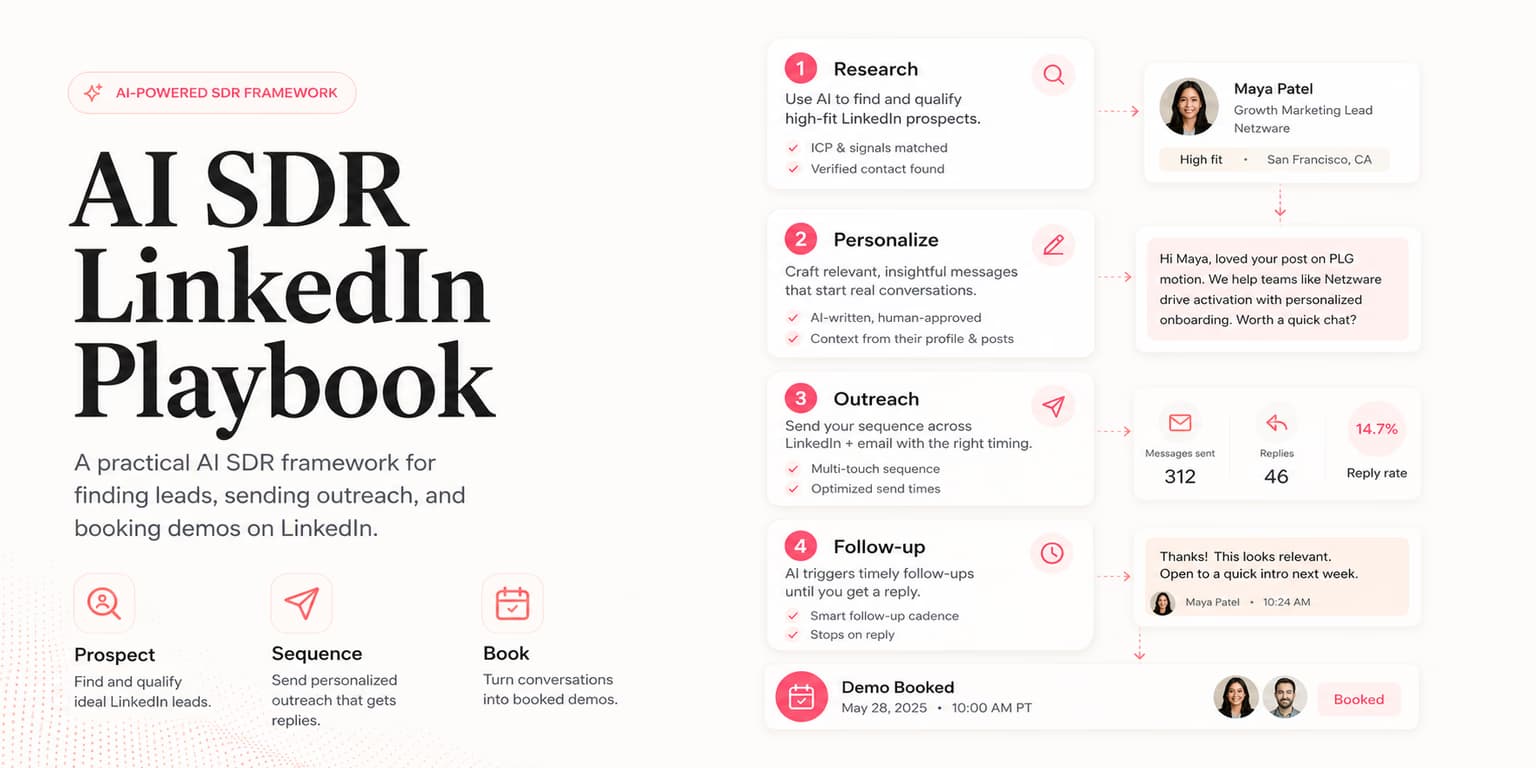
The term AI SDR has become a major buzzword in the B2B tech space. Startups and growth agencies are rushing to deploy autonomous sales development agents, hoping to automate the tedious work of pipeline generation. Yet, many teams realize that launching an autonomous outbound agent is not as simple as flipping a switch. Without clear guidelines, these systems either sit idle or blast low-quality messages that put your corporate domain and social accounts at risk.
Operationalizing an AI SDR requires a structured playbook. Treat the AI as a junior sales representative who needs explicit boundaries, a predictable routine, and regular checks. That cadence gives you the speed of automation without giving up the personal judgment that builds real relationships.
Omentir is the execution surface for this playbook. It is an AI sales assistant that interfaces with LinkedIn to manage connection requests, follow-ups, and inbox responses. The rest of this article covers the operational routine, delegation frameworks, and safety rules needed to run an AI SDR campaign.
The best AI SDR programs start small. Pick one ICP, one offer, one channel, and one human owner. If the agent cannot produce useful leads and drafts inside a narrow workflow, adding more autonomy will only multiply the confusion.
Defining the delegation boundary
The first step in deploying an AI sales agent is determining what tasks it should handle and what decisions must remain with humans. Fully autonomous systems that scrape data and send messages without any manual checks are a significant risk. If the AI hallucinates a product capability or misinterprets a buyer profile, it can damage a sales opportunity before you ever speak to the prospect.
A healthy outbound architecture divides responsibilities based on risk. You should delegate information-gathering and draft creation to the AI, while keeping approvals and high-stakes conversations in human hands. The AI SDR is excellent at crawling company websites, evaluating ideal customer profile fit, and drafting connection notes based on intent signals.
The human operator, on the other hand, provides the final quality check. You review the leads, confirm that the drafted message matches the relationship context, and handle the booking conversation once a buyer responds. This hybrid model combines the efficiency of automation with the strategic judgment of a human sales rep.
Write the boundary down as a policy. The agent may research, score, draft, summarize, and suggest. The human approves targeting changes, campaign launches, replies to high-intent buyers, and any message that mentions pricing, claims, competitors, or custom commitments. This prevents "autonomy creep," where a tool slowly starts making decisions nobody explicitly approved.
The rules of safe delegation
Never give an AI agent the ability to bypass daily sending limits or write message copy without a verified product profile. Always keep a staging environment active where you can review drafted sequences before they go live on LinkedIn.
The daily outbound routine
An AI SDR works best when integrated into a structured daily workflow. Rather than logging in occasionally to review performance, establish a clean operational loop that keeps your outbound pipeline moving steadily:
- Morning sync: The AI SDR runs in the background, finding prospects matching your ICP. It scores each lead and writes tailored message drafts.
- Review phase: The human operator spends 10 minutes reviewing the pending lead queue. You approve candidates who meet the threshold, prompting the system to schedule outreach.
- Active sending: The outreach queue executes gradually throughout the day. It sends connection requests, follows up with past contacts, and updates status flags in your workspace.
- Inbox sorting: As replies arrive, the AI analyzes response sentiment and groups threads into folders like Interested, Out of Office, or Not a Fit.
This daily rhythm prevents batch-sending spikes. By spacing out discovery, approvals, and execution, you maintain a natural presence on LinkedIn and avoid triggering compliance flags.
Add a weekly review to the routine. Look at rejected leads, accepted leads, replies, and meetings booked. The question is not only "did the agent send?" It is "did the agent choose the right people and create conversations a human would be proud to continue?"
Safeguarding LinkedIn account health
Any playbook for LinkedIn outreach must place account security at the center. LinkedIn uses sophisticated activity tracking to detect automation tools, looking for rapid API requests, consistent timing intervals, and high message volume.
Space out invitations, keep daily activity conservative, and avoid sudden spikes. Also avoid browser extensions that depend on brittle page automation, because they create unnecessary operational risk.
Omentir handles this execution layer securely. By coordinating all profile actions via encrypted API integrations (using Unipile), it acts as a compliant sales buffer. It respects human pacing rules, manages daily invite quotas, and ensures that your outreach matches natural user behavior. This compliant structure is explained in our guide on cold LinkedIn outreach best practices.
Configuring the AI SDR tool stack
Operationalizing your AI sales agent requires connecting it to your existing workflow. In modern sales setups, this is achieved by deploying an MCP (Model Context Protocol) server. The protocol allows AI models to safely access tools for data sourcing, message drafting, and campaign control.
When you connect Omentir's hosted MCP server to your agent, the AI can read workspace stats, update ICP rules, configure lead finders, search lead scores, and retrieve exact lead context. This removes the manual overhead of exporting data.
Use MCP for controlled work, not vague instructions. A strong prompt is: "Read the workspace context, inspect active lead finders, list leads above an 80 fit score, and explain the top five using their qualification context." That gives the agent room to help while keeping the result auditable.
This integration is particularly useful when combined with data enrichment pipelines. The agent can pull leads from a spreadsheet enriched via Clay or Apollo.io, verify their fit using Omentir's scoring engine, and queue a multi-step sequence without requiring you to switch tabs. For a step-by-step setup guide, check out our MCP LinkedIn outreach playbook.
Battle-tested outreach sequences
The copywriting style used by your AI SDR will determine your conversion rate. Avoid sending long paragraphs that detail every feature of your product. Instead, write short, low-friction messages focused on the buyer's challenges. Here are three templates designed for modern outbound campaigns:
The soft-insight sequence
Step 1 (Connection Invite): "Hi [Name], saw your team is expanding the React group. Curious if you are managing the UI transition? Would love to connect."
Step 2 (Follow-Up, 3 Days Later): "Thanks for connecting, [Name]. We put together a short checklist on React rendering optimization that startup teams use to cut load times. Happy to share a copy if you are facing performance bottlenecks?"
This sequence works because it does not pitch a demo immediately. It offers a useful asset, shifting the dynamic from sales pressure to value exchange. It shows that your AI SDR is acting as a helpful advisor, which is the key to booking calls with busy decision-makers. You can find more templates in our resource on LinkedIn outreach templates.
Do not call any sequence battle-tested unless your team has actually tested it. Treat templates as starting points. The agent should adapt the hook to the lead's signal, keep the offer low-pressure, and avoid claims that are not present in the product profile.
Handing off warm replies to humans
The ultimate goal of your AI SDR is to generate active conversations. When a prospect replies with interest (for example, asking for the asset, asking a pricing question, or requesting a call), the AI's automation role should shift.
While AI can draft proposed responses, a human should take over the thread to schedule the meeting. Trying to automate the scheduling step completely using chatbot scripts often feels unnatural and risks losing the prospect's interest. Use Omentir's intent-sorted inbox to spot warm replies instantly, check the conversation history, and drop your calendar link with a short, personal note.
This handoff process ensures that you focus your time on high-value interactions. You leave the prospecting, lead scoring, and draft creation to Omentir while dedicating your energy to closing deals. For tips on booking demos, read our guide on demo booking strategies.
Define handoff states before launch. "Interested" should mean the prospect asked a buying question, requested a resource, accepted a meeting, or described a relevant pain. A polite "thanks" is not enough. Clear states keep the AI from inflating pipeline with weak replies.
Scaling outbound safely
Operationalizing an AI SDR is about combining scale with security. By setting clear boundaries, using human pacing checks, and maintaining a human-in-the-loop approval step, you can build a sustainable outbound system that generates meetings week after week.
Treat Omentir as the execution framework for this playbook. Let it manage lead discovery, scoring, and drafting while you review the queue and guide the conversations. With this structured approach, you can grow your startup's pipeline without compromising your account safety or brand reputation.
Operational discipline is what makes the agent useful. Narrow scope, visible drafts, conservative pacing, and human judgment turn AI SDR work from a risky shortcut into a repeatable outbound system.
Frequently asked questions
You should delegate repetitive, data-heavy tasks: daily LinkedIn profile searches, candidate qualification scoring against your ICP, message draft generation, and initial intent sorting on incoming replies.
Keep a human-in-the-loop validation step active. Ground all messaging drafts in a pre-verified product profile and ensure your agent cannot trigger live campaigns without your explicit approval.
There is no universal safe limit. Use conservative daily quotas, ramp gradually, and monitor acceptance, failed sends, replies, and account warnings before increasing activity.
Modern AI SDR workflows can connect to tools through MCP or REST APIs. Keep CRM handoffs explicit: once a conversation is qualified, record it in the CRM or pipeline tracker your sales team actually uses.