
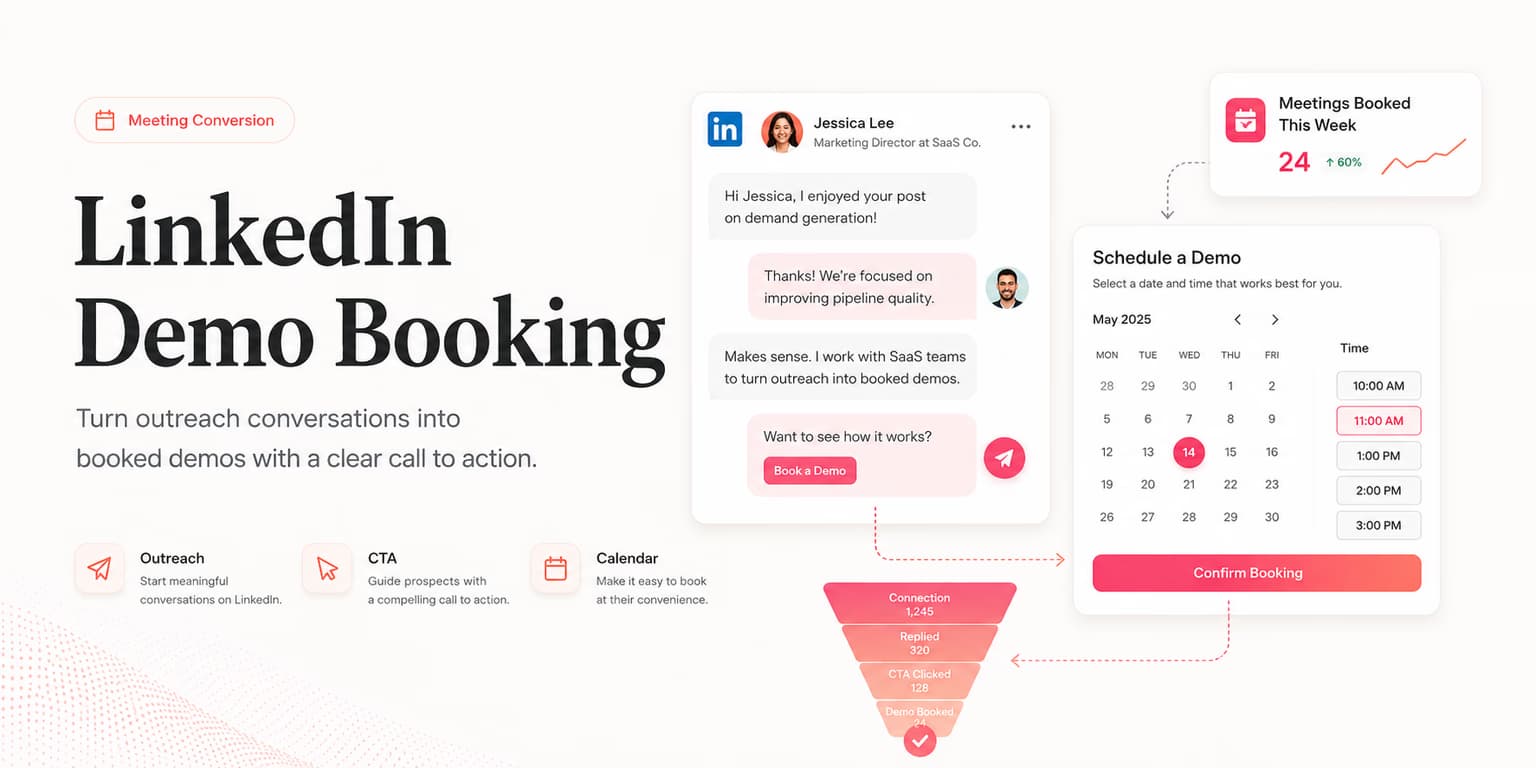
The hardest part of LinkedIn demo booking is not the calendar tool. It is the moment after a prospect replies with mild interest and the seller has to decide whether to ask for a meeting, ask one more question, or keep the conversation going.
Most teams lose good conversations in that handoff. They either drop a booking link too early and make the buyer feel rushed, or they keep chatting until the thread loses urgency. The useful middle path is a simple conversion system: qualify the reply, earn the ask, make scheduling easy, then protect the meeting from no-shows.
This guide is for founders, SDRs, and agency operators who already use LinkedIn to start sales conversations. If you need the broader outbound system, read the weekly demo-booking playbook. Here, the focus is narrower: what to do once a real person has answered.
Booking starts before the ask
A booked demo is not created by the sentence, "Want to hop on a call?" It is created by the three or four messages before that sentence. The prospect has to understand why the conversation is relevant, why now is a reasonable time to talk, and why the next step will not waste their afternoon.
Think of the LinkedIn thread as a small commitment ladder. The first commitment is accepting the connection. The second is answering a low-friction question. The third is confirming that the problem exists. The meeting ask should only arrive after the buyer has taken at least one step that signals relevance.
That is why strong demo booking starts with better opening messages. If your first message is a product pitch, the meeting ask has to carry the entire burden. If your first message names a credible business trigger, the meeting ask becomes a natural continuation.
For example, do not write, "We help operations teams automate reporting. Want a demo?" A better path is, "Saw your team is hiring two revenue ops roles. Usually that means pipeline reporting is starting to get messy. Are you already standardizing that workflow, or is it still mostly spreadsheet-driven?"
The second version gives the buyer a reason to answer without booking anything yet. If they respond with, "Still spreadsheet-driven, unfortunately," you now have a real bridge to a meeting. The ask is no longer cold. It is tied to a problem they just admitted.
Qualify the reply
A positive reply is not always demo intent. "Interesting" can mean they have budget, or it can mean they are being polite while waiting for a train. Before you ask for time on their calendar, identify which kind of reply you are looking at.
Use four quick filters: problem, ownership, timing, and fit. Problem means they recognize the pain you raised. Ownership means they influence the workflow or buying decision. Timing means the issue matters soon, not someday. Fit means your product can reasonably help without stretching the truth.
- Problem: Did they confirm the challenge in their own words?
- Ownership: Are they close enough to the work to care about solving it?
- Timing: Is there a current trigger such as hiring, growth, churn, expansion, or a manual process breaking?
- Fit: Can you help this buyer now, or would the demo become a vague education call?
You do not need a full discovery call inside LinkedIn. One sharp qualification question is enough. Ask the question that decides whether a meeting would be useful.
The one-question filter
"Makes sense. Is this something your team is actively trying to fix this quarter, or more of a background annoyance right now?"
That question is direct without being pushy. If they say it is active this quarter, you can move toward a call. If they say it is background noise, you can send a useful resource and keep the relationship warm instead of forcing a meeting neither side needs.
Three booking moments
Not every LinkedIn thread should use the same meeting ask. The best wording depends on how much intent the prospect has shown. In practice, there are three common booking moments.
The soft pivot
Use this when the prospect confirms the problem but has not asked about your product. The goal is to make the meeting feel like a useful comparison, not a trap.
"That tracks. We have been seeing this with a few teams once manual handoffs start breaking down. Happy to show you the 10-minute version of how teams usually clean it up, and you can tell me if it is irrelevant. Worth comparing notes this week?"
The direct ask
Use this when the prospect asks how it works, asks about pricing, or describes an active project. They have already crossed from curiosity into evaluation.
"Yes, this is exactly the workflow we help with. Rather than send a wall of text here, would it be useful to walk through your current setup and show where we would fit? Fifteen minutes is enough."
The peer consult
Use this when you are founder-led and the buyer is senior. The tone should be peer-to-peer, especially if you are still learning the market. This overlaps with founder validation, but the ask is still anchored in a specific operational pain.
"Honestly, I am trying to sanity-check this workflow with operators who have already felt the pain. Open to a short conversation? I can show you what we built, but I am equally interested in where you think the approach breaks."
Notice what all three scripts avoid: fake urgency, a hard 30-minute demand, and a blind booking link. The buyer can say yes to a useful conversation before they have to pick a time.
Calendar link handoff
Calendar links are not the enemy. Bad timing is. Tools like Calendly and Cal.com are useful when the prospect has already agreed that a call is worthwhile. They become harmful when used as a substitute for relevance.
The cleanest handoff gives two options: a direct link for convenience and a manual scheduling path for people who dislike booking pages. It also repeats the reason for the meeting so the prospect remembers why they are clicking.
"Perfect. Here is my calendar to make scheduling easy: [link]. If none of those times work, send me two windows that are good for you and I will make one fit. We can use the call to map your current workflow and see if there is an obvious fix."
Keep the booking page short. Ask for name, email, company, and maybe one context question if it genuinely improves the meeting. Long forms create friction at the exact point where momentum matters most.
If you use Omentir, the same principle applies to agent-led outreach. Let the system help discover ICP-fit leads, draft the outreach, and surface high-intent replies in one inbox, but keep the calendar handoff controlled by the human who will own the sales conversation. The hosted agent workflow is useful because it reduces lost replies, not because it should pressure every reply into a meeting. You can see the agent-facing workflow on Omentir for agents.
Scripts for common replies
The fastest way to improve LinkedIn demo booking is to stop treating every reply as custom improv. You still personalize, but you should have clear response patterns for common moments.
"Can you send more info?"
Do not dump a brochure into the thread. Ask what they want to evaluate, then offer a short call only if the answer points to active intent.
"For sure. Are you mostly trying to understand the workflow, pricing, or whether this fits your current process? I can send the right version instead of a generic deck."
"Not now"
A timing objection is not a rejection. Respect it, anchor the reason, and create a future follow-up that will not feel random.
"Completely fair. If this becomes more painful after the quarter closes, I can send a quick note then. Is late August a better time to revisit, or should I leave it alone?"
"Talk to my colleague"
Treat referrals carefully. Make it easy for the prospect to introduce you and give them a forwardable line that makes the context clear.
"Appreciate it. If helpful, you can forward this: 'They are looking at ways to reduce manual handoffs in revenue ops workflows. Might be worth a short look if this is still on our plate.' Happy to keep it lightweight."
These scripts work best when paired with specific message foundations. For first-message examples, use the LinkedIn cold message templates, then adapt the booking handoff based on the reply you actually receive.
Reduce no-shows
A booked meeting is not a real opportunity until the buyer shows up prepared. The easiest way to reduce no-shows is to make the meeting feel specific at the moment it is booked.
After they choose a time, send a short confirmation in the LinkedIn thread. Do not rely only on the calendar invite. The LinkedIn confirmation reconnects the booking to the conversation that created it.
"Booked. I will come prepared around the spreadsheet handoff issue you mentioned. No deck unless it helps. We can use the first few minutes to see how your process works today."
The day before the call, send one useful detail rather than a generic reminder. A good pre-call message might include one question, one example, or one agenda line.
- Question: "Is the handoff issue mostly between sales and CS, or inside the sales team?"
- Example: "I will bring one workflow we have seen teams use when ownership is unclear."
- Agenda: "We can keep it simple: current process, bottleneck, whether there is a fit."
This small step increases commitment because it proves the meeting is not a generic sales presentation. It also gives you better context before the call starts.
Measure the handoff
If your LinkedIn outreach produces replies but few demos, do not immediately rewrite the whole campaign. Diagnose the handoff. Different drop-offs mean different fixes.
- Positive replies but no meetings: your ask is too abrupt, too vague, or too heavy.
- Meetings booked but many no-shows: the meeting reason is not clear enough after booking.
- Meetings happen but do not progress: you are booking curiosity calls instead of qualified pain.
- Prospects ask for info then disappear: your collateral is replacing the sales conversation instead of enabling it.
Track five numbers each week: positive replies, qualified replies, meeting asks, meetings booked, and meetings attended. The gap between qualified replies and meeting asks shows seller hesitation. The gap between asks and bookings shows friction. The gap between bookings and attendance shows weak commitment.
This is also where AI can help without taking over the relationship. An agent can flag high-intent replies, summarize the conversation, and draft a sensible next step. A human should still decide whether the prospect deserves a demo or needs one more question. For the broader operating system, pair this handoff with the AI outreach playbook.
The best LinkedIn demo booking flow feels calm. It does not chase every reply. It listens for a real problem, earns the next step, makes scheduling easy, and protects the meeting with useful context. That is how a LinkedIn inbox turns into a calendar without making the buyer feel processed.
FAQs
Send it after the prospect has confirmed the problem is relevant or asked for details. If you send the link before there is clear interest, it feels like pressure instead of convenience.
No. Some replies are curiosity, not buying intent. Qualify the problem, timing, role, and next step before asking for a meeting.
Acknowledge the timing, offer a low-friction alternative, and ask for a future window. Do not keep pushing the same calendar link.
Use automation for tracking, reminders, and draft help. Keep the actual judgment calls human: when to ask, what to ask, and how to respond to objections.