
Warmup is not a growth hack. It is the boring work of making a LinkedIn account look like a person who already uses the product: complete profile, real conversations, invitations to people who will recognize the name. Skip it on a new or quiet account and LinkedIn can stop you from sending invitations for a week. That week costs more pipeline than the warmup would have.
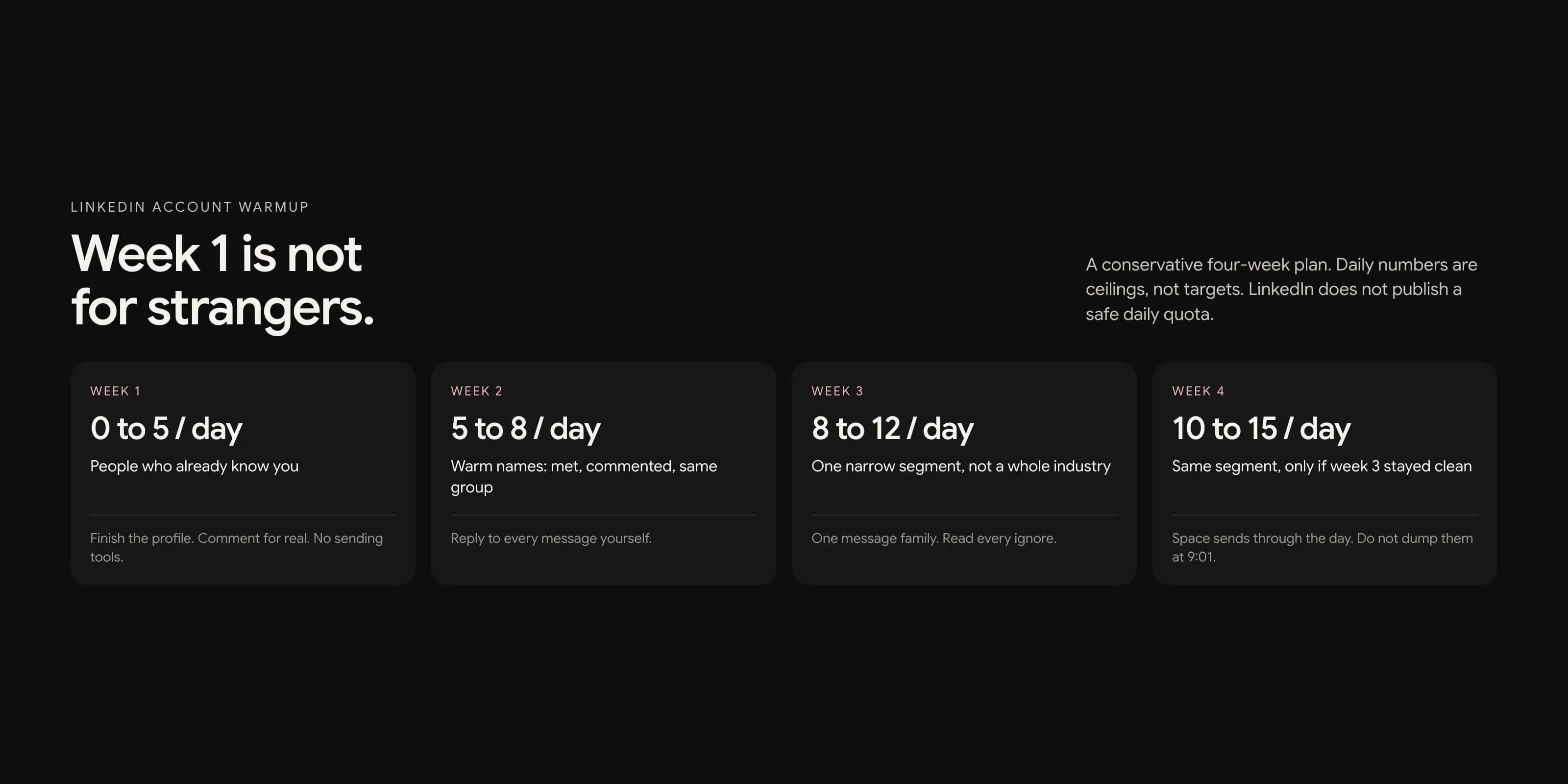
This is a conservative four-week plan. The daily numbers below are operator ranges, not a secret official quota. LinkedIn does not publish a safe daily invite count. It publishes what happens when you ignore the spirit of the limit.
What warmup actually is
LinkedIn is trying to tell a new account from a spam account. A spam account is created, or dusted off, and immediately sends a pile of invitations to strangers. A real account logs in, finishes the profile, talks to people it already knows, and only later reaches out to people it does not know yet.
Warmup is you choosing the second pattern on purpose. You are not tricking a filter. You are giving the account a short history that looks like work. The history is what lets later outreach survive.
That is also why copying someone else's 14-day spreadsheet can fail. A founder who has posted for two years is not the same starting point as a sales seat created on Monday.
What LinkedIn publishes
The useful official pages are short. From Invitation limit reached and Invitations on LinkedIn:
- Every member, including Premium, is subject to invitation limits.
- Hitting the limit can restrict you from sending invitations. The wait is typically one week.
- Withdrawing pending invitations does not lift that restriction.
- You cannot buy extra invitations while restricted. Support will not shorten the wait.
- Members can have at most 30,000 first-degree connections.
- Incoming invitations are sorted into Focused and Other using authenticity signals.
- LinkedIn asks you to send invitations to people you know and trust.
Two help pages disagree on personalized notes. The older invitation-limit page still says five noted invites a month for free members. The more recently updated personalize invitations page says three notes a month and 200 characters. Trust what the field in your own account shows, and write as if 200 characters and a small monthly note budget are the rule. For the note itself, use how to write a connection request that gets accepted.
Weekly volume is covered on its own in LinkedIn weekly connection limits. Warmup is the period before you should even think about a weekly ceiling.
New, dormant, or already active
Write down the starting state before you pick a schedule.
| Starting state | What to do first |
|---|---|
| Brand new | Finish the profile. Week one is colleagues and activity only. No tools. |
| Dormant | Log in for a week like a person. Withdraw stale pending invites slowly. Then treat it like new. |
| Already active | You can skip the empty-profile week. Still rise invite volume gradually. Do not jump from 2 a week to 20 a day. |
Also write down pending invites, last post date, connection count, and whether the headline names real work. A warmup on top of 700 ignored pending requests is not a warmup. It is a pile.
A conservative four-week plan
Use this if the account is new or has been quiet. If a week goes well, stay at that volume for a few more days before rising. If anything feels off, hold. Extending warmup is cheap. A one-week lock is not.
| Week | Invites per day | Who they go to | Everything else |
|---|---|---|---|
| 1 | 0 to 5 | People who already know you | Photo, headline, About, 3 to 5 real comments. No tools. |
| 2 | 5 to 8 | Warm names: met, commented, same group | Reply to every message yourself. Still no bulk follow-up. |
| 3 | 8 to 12 | One narrow segment, not a whole industry | One message family. Read every accept and ignore. |
| 4 | 10 to 15 | Same segment, only if week 3 stayed clean | Still space sends through the day. Do not dump them at 9:01. |
These are ceilings, not targets. Five good invites beat fifteen ignored ones. Spread them through the working day. A burst of twenty in four minutes looks like a script even when a human clicked send.
Week one comments should be comments you would leave if nobody was measuring you. One specific sentence on a post you read. Five "Great share!" clicks are not activity. They are noise.
Let acceptance govern volume
The schedule is a starting guess. Acceptance is the governor. If people who should know you are ignoring the request, the account is not ready for strangers. If strangers in one narrow segment accept and nobody complains, you can rise a little.
There is no official acceptance percentage that raises how many invites you can send. Treat a week of mostly ignores as a targeting problem, not a reason to send more. A useful operator check: if fewer than about one in three relevant people accept a noted invite, stop raising volume and change who you are asking, or whether you should add a note at all.
Track each week as its own batch. Role, how you found them, note or no note, sent, accepted, ignored. Do not blend week one colleagues with week three cold names and then celebrate a blended rate.
What not to do in week one
- Do not connect a sending tool to a profile that still has a logo for a face.
- Do not send invitations to a purchased list of titles.
- Do not add calendar links or product lines to the connection note.
- Do not auto-view hundreds of profiles. That is its own spike.
- Do not run three campaigns so you can "see what works." You will not be able to tell.
- Do not create the account on Monday and go full volume on Tuesday because a competitor does.
If the team is impatient, add another already-healthy profile later. Do not ask one new account to behave like a call center. For the copy side of that pressure, the profile work sits in how to make the profile survive a five-second glance.
If you already hit the limit
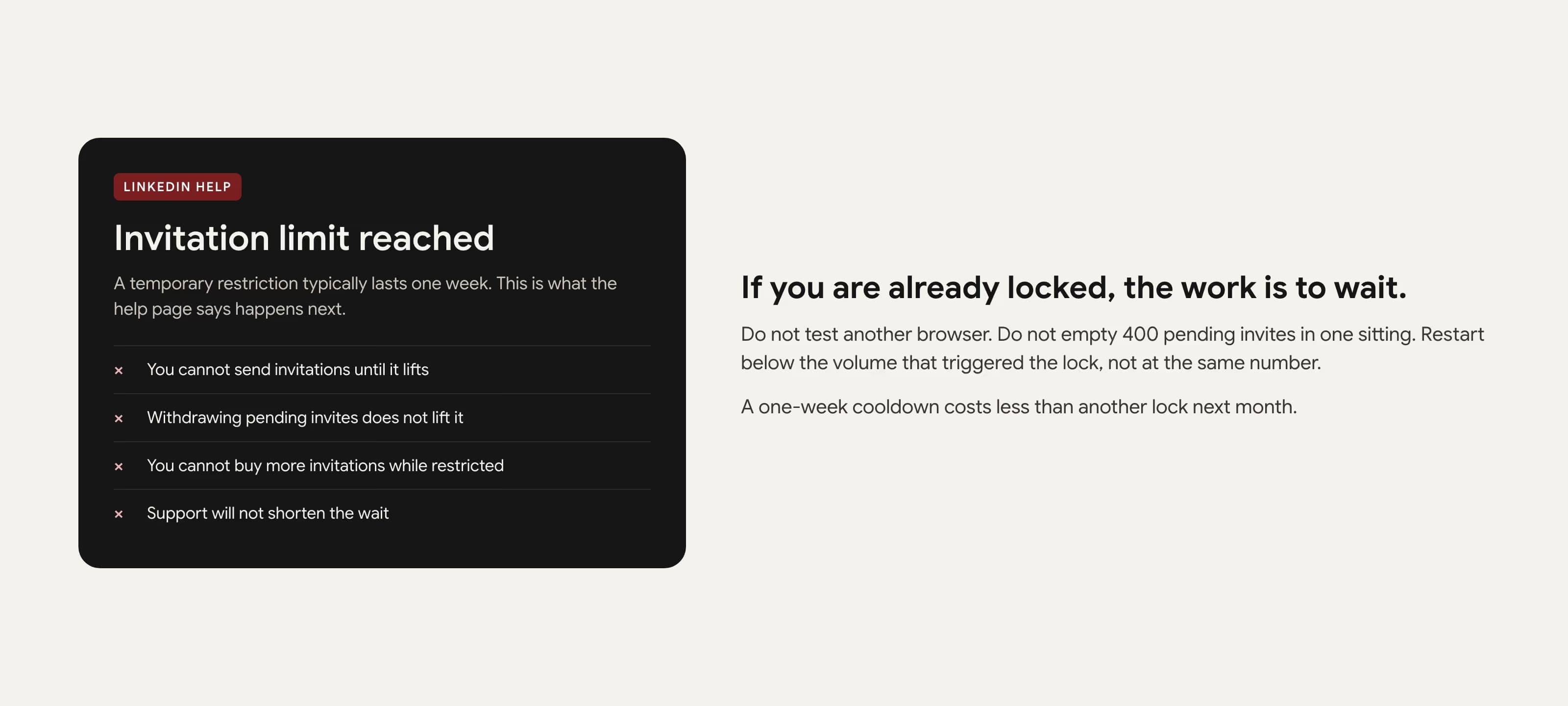
Stop sending. Do not test whether a different browser still works. Do not open a second tool against the same session. Do not withdraw 400 pending invites in one sitting hoping the counter resets. LinkedIn says that withdraw does not lift the restriction, and a mass withdraw is another unnatural burst.
Use the week. Answer anyone who already replied. Finish the About section. Comment on a few posts as yourself. When invitations open again, restart below the volume that triggered the lock, not at the same number. If the lock happened at 25 a day, go back to 8 and stay there until acceptance looks normal.
If you get an identity check or a phone prompt, complete it as the real owner and then pause outbound for a few days. A prompt plus more sending is how a one-week lock becomes a longer one.
When you can stop calling it warmup
The calendar is not the graduation test. The account is ready when all of these are true:
- The profile looks like a person who does a specific job.
- There has been real activity for several weeks, not one burst.
- Pending invites are not a graveyard.
- Recent invites are being accepted by the people you meant to reach.
- No security prompt is hanging over the session.
- You can name one segment that worked, not five that you mixed together.
If any of those fail, repeat the current week. The point of warmup is a profile you can still use next quarter. A locked account teaches the same lesson, only slower.
Frequently Asked Questions
Yes if the account is new, recently created, or has been quiet for weeks. LinkedIn looks at sudden changes in invitation volume. A complete, already-active profile can start lower and rise faster. A blank or dormant one should spend the first week on the profile and on people who already know you.
LinkedIn Help says a temporary invitation restriction typically lasts one week. Withdrawing pending invitations does not lift it. You cannot buy more invites while restricted, and Support will not shorten the wait.
There is no official daily number. A conservative start is zero to five invites a day, only to people likely to accept. Rise only when acceptance stays healthy and the account has no security prompts. Chasing 20 a day in week one is how quiet accounts get locked.
No. LinkedIn Help is explicit: withdrawing pending invitations will not remove an invitation restriction. Clean stale pending invites before you scale, in small batches, so you do not create another spike. Do not treat withdraw as a way to lift a restriction.
Four weeks is a safe default for a new or dormant account. An already-active personal profile can often move faster. Do not graduate the account because a calendar said day 15. Graduate it when the profile looks real, acceptance is healthy, and nothing has been flagged.