
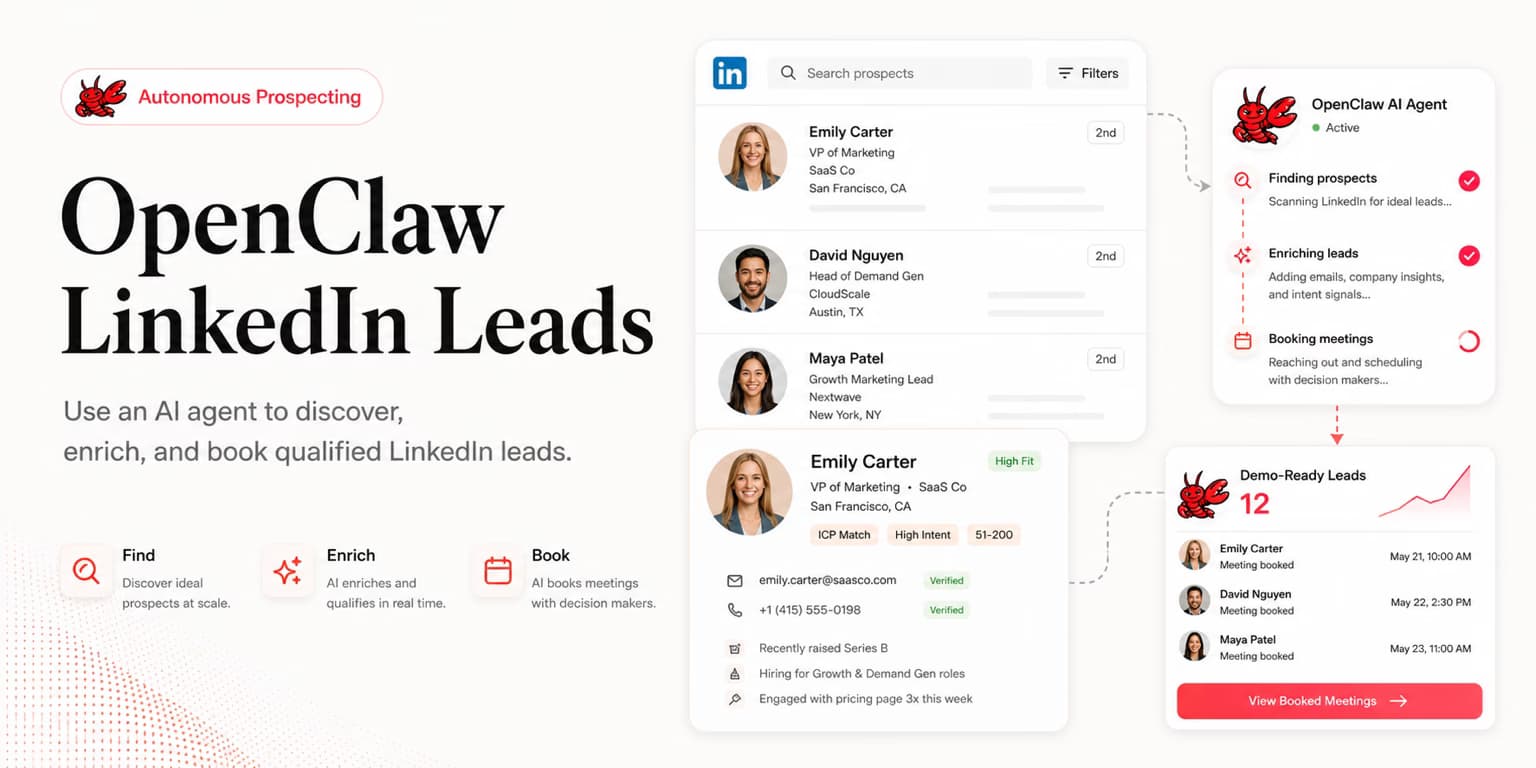
OpenClaw is most useful for LinkedIn lead generation when you stop treating it like a list generator and start treating it like an operator. The agent should not guess who your buyers are. It should run a defined prospecting workflow, inspect evidence, and return a qualified shortlist you can trust.
That distinction matters because LinkedIn outbound has two separate jobs. One job is finding people who match your market. The harder job is deciding who deserves a message today and what proof supports that decision.
This guide is for founders, technical operators, and small sales teams that want to control prospecting from an agent interface without turning LinkedIn into a spam channel. The goal is a repeatable operating loop: define the sales job, connect the right tools, score leads, approve outreach, and learn from replies.
OpenClaw is the operator
OpenClaw describes itself as a personal AI assistant that can work from chat surfaces and connect to tools. In sales terms, that makes it a coordinator: you can ask it for an outcome, and it can gather context, call tools, and report progress back in plain language.
Do not confuse coordination with source-of-truth data. OpenClaw still needs access to a real prospecting system, CRM, document, or API if you want it to return real leads. Without that, it will produce plausible but unverifiable names, which is worse than an empty list.
The cleaner mental model is simple: OpenClaw is the operator, your lead sources are the inputs, your scoring rules are the judgment criteria, and your outreach tool is the execution surface. Keep those roles separate and the workflow becomes much easier to debug.
- Operator layer: OpenClaw receives the sales task, tracks the steps, and summarizes what happened.
- Data layer: LinkedIn, saved searches, CRM records, product notes, and lead groups provide the raw evidence.
- Judgment layer: your ICP rules decide which prospects are worth pursuing.
- Execution layer: outreach is drafted, reviewed, and sent through a controlled system.
Define the sales job
A weak agent instruction sounds like this: "Find me leads on LinkedIn." It is short, but it hides every important decision. The agent does not know which market to prioritize, what counts as urgency, which buyers are bad fits, or what you want done with the results.
A strong instruction gives OpenClaw a job spec. It names the buyer, the pain, the evidence threshold, the output format, and the approval boundary.
Find 30 LinkedIn prospects for [product]. Prioritize [buyer title] at [company type] with [trigger signal]. Reject agencies, students, consultants, and companies below [size]. For each lead, return the profile context, company context, why they fit, one risk, and whether they should be messaged now, nurtured, or skipped. Do not draft outreach until I approve the list.
The final sentence is not decoration. It keeps the agent from racing into outreach before you have checked the quality of the list.
If your market is still fuzzy, run this manually for a few batches first. The article on using ChatGPT for LinkedIn lead qualification covers the reasoning step in more detail, while this OpenClaw workflow focuses on orchestration.
Connect the right tools
OpenClaw becomes more useful when it can call tools through the Model Context Protocol or a direct API. The official OpenClaw MCP documentation describes how MCP can expose external capabilities to an agent workflow.
For LinkedIn leads, the connected tools should answer specific questions. Can the agent read your product profile? Can it create or inspect lead groups? Can it search discovered prospects? Can it retrieve one exact lead with qualification context? Can it inspect activity and existing replies?
Avoid connecting every tool just because you can. Sales agents get safer when each tool has a narrow purpose and a clear permission boundary.
Tool access checklist
- Read-only workspace context before write access.
- Lead listing before campaign creation.
- Draft campaign creation before live sending.
- Dry-run checks before activation.
- Reply reading before reply sending.
This gradual permission model mirrors how you would onboard a new sales hire. You would not give someone full sending authority on day one; you would first inspect their research, then their drafts, then their judgment in live threads.
Lead qualification loop
The agent loop should be boring and explicit. OpenClaw receives the prospecting job, pulls candidates from the connected system, scores them against your ICP, asks for missing evidence when needed, and returns a shortlist grouped by action.
The output should not be a pile of names. It should be a decision table that lets you see why the agent recommends each next step.
- Message now: clear buyer, clear pain, clear timing signal, and no obvious disqualifier.
- Research more: good company, uncertain buyer ownership, or missing context.
- Nurture: relevant person but weak timing signal.
- Skip: wrong market, wrong buyer, bad fit, or no credible reason to start a conversation.
Ask the agent to include a confidence note for every recommendation. A short "why" field catches a surprising number of mistakes because the agent must expose its reasoning instead of hiding behind a score.
The cleanest output format is a compact table with six fields: person, company, signal, fit reason, risk, and next action. That gives you enough context to make a decision without forcing you to reread every profile from scratch.
The signal field should be factual. "Hiring two account executives" is a signal; "probably scaling sales" is an interpretation. The fit reason can contain interpretation, but it should point back to the signal so you can audit the agent's work quickly.
The risk field is where the workflow gets honest. A prospect might be senior enough but outside your geography, in the right industry but at the wrong company stage, or visibly interested in the topic but not responsible for budget. Those notes prevent the agent from presenting every lead as equally ready.
Over time, save the agent's best and worst lead notes. The best notes become examples for future runs; the worst notes become disqualification rules. This is how an agent-led workflow improves without quietly drifting away from your actual market.
Approval gates
There are three approval gates that should exist before live outreach: approve the ICP, approve the lead list, and approve the copy. If any one of those gates is skipped, the campaign can look automated even when every individual step seems reasonable.
The ICP gate asks whether the agent is looking for the right market. The lead gate asks whether the individual people actually fit. The copy gate asks whether the message sounds like something you would send from your own profile.
This is especially important on LinkedIn, where messages come from a personal account, not an anonymous marketing domain. A bad campaign does not just waste credits; it makes your profile look careless.
Daily agent routine
The advantage of an agent-led workflow is cadence. You can ask OpenClaw to run the same operating loop every morning, summarize what changed, and queue only the decisions that need you.
Keep the daily routine small at first. A founder does not need 500 leads from an agent; they need 10 to 25 prospects they can actually inspect and message thoughtfully.
- Morning: review new candidates and ask the agent why each top prospect fits.
- Midday: approve or reject the shortlist, then ask for drafts only for approved leads.
- Afternoon: inspect accepted connections, reply intent, and follow-up due dates.
- Friday: ask the agent to summarize which ICP assumptions produced replies and which produced silence.
If the agent starts recommending too many weak prospects, tighten the job spec rather than increasing volume. Better targeting compounds; bad targeting only creates more cleanup.
For copy once the list is approved, use a separate playbook like these LinkedIn cold message templates or the guide to pitching B2B SaaS without sounding spammy. Do not let one agent prompt collapse research, targeting, copywriting, and follow-up into one unreviewed blob.
Where Omentir fits
OpenClaw is the operator interface. Omentir can be the sales system it operates. Through the Omentir agent workflow, an AI agent can read workspace context, configure ICP discovery agents, search and rank discovered leads, retrieve exact lead records, inspect activity, and work with existing reply conversations.
That combination keeps responsibilities clean. OpenClaw handles the conversation with you; Omentir handles the LinkedIn-specific sales motion: finding ICP-fit buyers, drafting personalized outreach, respecting human-paced sending limits, and collecting replies in one inbox sorted by intent.
The practical prompt becomes: "OpenClaw, use Omentir to find 20 new ICP-fit leads, show the top 10 above an 80 fit score, and retrieve the full context for the five I approve." That is specific enough to be useful and constrained enough to be safe.
If you want to understand how this differs from a pure chat workflow, compare it with the earlier guide on ChatGPT LinkedIn lead research. ChatGPT helps reason about fit. OpenClaw helps operate the workflow. Omentir gives the workflow a production sales surface.
FAQs
OpenClaw can coordinate the work, but it still needs reliable data sources and approved tools. Treat it as the operator that calls your prospecting, CRM, notes, and outreach systems rather than as a standalone LinkedIn database.
For founder-led outbound, keep human approval in the loop. Let the agent research, score, draft, and prepare a campaign, but review the prospect list and copy before anything sends from your LinkedIn account.
Its strength is orchestration. You can ask for a business outcome in plain language, then have the agent gather context, call MCP tools, summarize fit, and return a clear shortlist instead of making you hop across tabs.
Omentir gives the agent a purpose-built lead system to call: configure discovery agents, search scored leads, retrieve exact lead context, inspect activity, and work with existing reply conversations through MCP or REST.