
Search for this topic and you will find a pile of posts about bypassing LinkedIn spam filters. That framing is the problem. LinkedIn publishes a rule against using invitations as ads. It also publishes that most spam is caught by machines, not by a person reading every note. You do not outsmart that by synonym-swapping a pitch.
This article is about what LinkedIn says it does, what members do when they get a bad request, and how to write so neither one treats you as spam.
This is not a bypass guide
A filter exists because the product is full of people who do not want a stranger's calendar link. Trying to sneak the same calendar link past the filter is still the behavior the rule is about. If your plan only works when the recipient cannot tell it is a blast, the plan is the thing to throw away.
Stay on this page if you want the published rules and the practical tells. If you want a loophole, there is not a durable one.
What LinkedIn's policy actually says
The Professional Community Policies are plain. Do not spam members. Untargeted, irrelevant, obviously unwanted, unauthorized, or gratuitously repetitive commercial messages are not allowed. Then the line that most outbound posts skip:
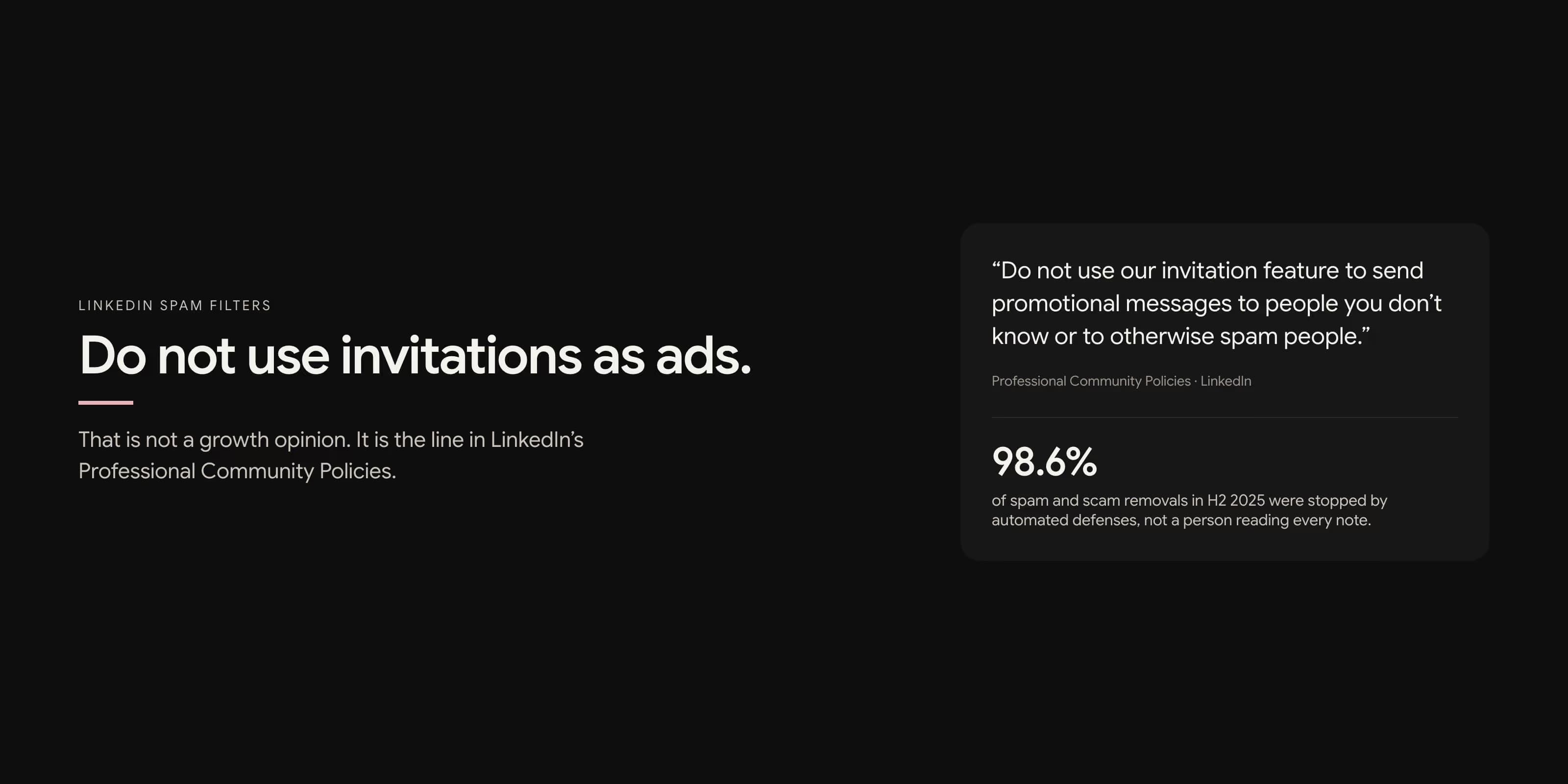
Do not use our invitation feature to send promotional messages to people you don't know or to otherwise spam people.
That is the whole connection-note debate, settled. A noted invite that is a product pitch is not clever outbound. It is the example in the policy.
LinkedIn's Community Report for the second half of 2025 said spam and scams were the most common violation it acted on, including repetitive communications or invitations meant for financial gain. Automated defenses stopped 98.6 percent of the spam and scam content it removed. The rest was handled by people. You are not talking your way past a junior moderator. You are talking to a system that already removes almost all of this class of content before a human sees it.
Two different filters
People mix these up. They are not the same lever.
| Filter | What it does | What you notice |
|---|---|---|
| Content | Machines score a first message or invite. Harmful message detection can send a first message straight to spam. | They never saw it. Or it sat in Other / spam. |
| Account | Volume, ignores, reports, and authenticity signals can restrict invitations. See weekly connection limits. | You cannot send invites. The wait is typically a week. |
A message that never arrives is a content problem. A Connect button that stops working is an account problem. Fixing the first with more volume creates the second.
What people report as spam
The machine is not the only rater. Recipients tap Report. LinkedIn even says members often mark invitations from people they do not know as spam. The human reasons are consistent:
- The note could have been sent to anyone with that job title.
- It asks for a meeting before there is a conversation.
- It includes a link or a PDF they did not request.
- It flatters a background the sender clearly did not read.
- A follow-up arrives the next morning asking if they saw the first one.
That list is the same list in why prospects report messages. The filter and the person are looking for the same shape: a stranger extracting time.
Identical copy is the easy tell
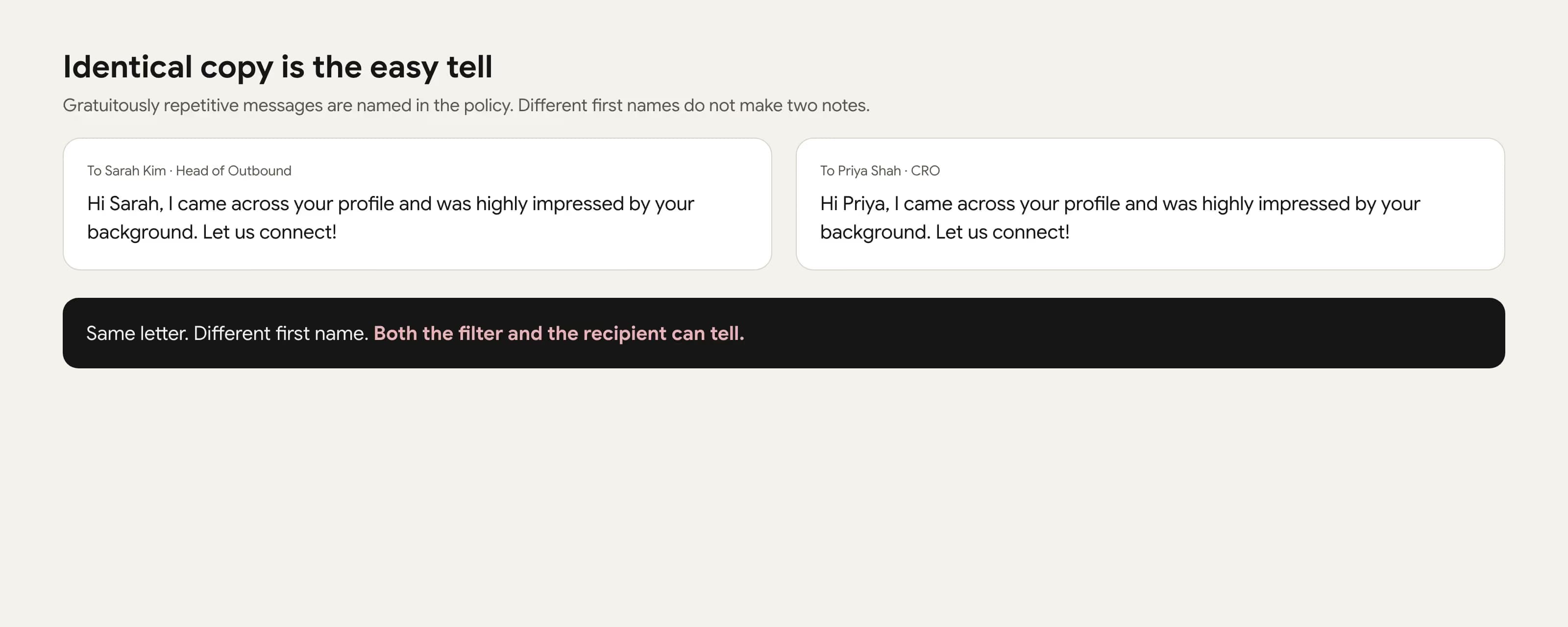
Gratuitously repetitive messages are named in the policy. That does not mean every sentence must be unique poetry. It means the reason has to change when the person changes. "I noticed your work at Company" and "I saw your role at Company" are not two messages. They are one template with a twitch.
A hiring-trigger note and a post-trigger note should not share a skeleton. A founder and a finance lead should not get the same logic. If you cannot write the second one without looking at the first, you do not have a second one.
Links and meeting asks in the first touch
A connection note is 200 characters. A first DM is still a first DM. Putting a booking link, a tracking shortener, or a pricing page in that space does two things. It asks them to leave the conversation before they agreed it was worth having. And it looks like distribution, which is what the spam systems are built to catch.
If the resource matters, describe it in a clause and wait. "I have a one-page checklist for stale pending invites" is a sentence. A raw URL is a pitch. Send the URL after they ask.
The same rule applies to "open to a quick 15 minutes?" in a connection note. They have not accepted the connection. They have not agreed you are a relevant person. The meeting ask is the promotional message the policy names. Write the reason to connect instead. That structure is in how to write a connection request that gets accepted.
How to stay out of the filter
None of this is a trick. It is the inverse of the policy.
- Invite people you can name a reason for. Job title is not a reason.
- Do not use the invitation as an ad. Pitch later, if they want that conversation.
- Write a different reason when the person is different. Do not synonym-swap.
- Keep links and calendars out of the first touch.
- Send slowly enough that a human could have typed them. Warm a quiet account first.
- Stop a batch that is being ignored or reported. More volume is not the fix.
If a note only works when the other person does not look closely, do not send it. The filter is not the audience you have to fool. The person is.
Frequently Asked Questions
Yes. LinkedIn uses automated systems plus member reports. Its latest community report said automated defenses stopped 98.6 percent of the spam and scam content it removed. First messages that look harmful can also skip the inbox and land in spam.
The Professional Community Policies say not to use the invitation feature to send promotional messages to people you do not know. A connection note that is an ad is not a grey area. It is the thing the policy names.
A first message can be routed to spam if automated systems think it is harmful or unwanted, especially when you have never talked to that person. Identical copy, links, and a hard sell raise that chance. The recipient can also tap Report.
No. Swapping synonyms in the same pitch is still the same promotional invitation. Filters and people both notice the pattern. Write a different reason for a different person, or do not send the note.
They often do, and they are also rude. A connection note is 200 characters and is not a landing page. Keep links out of the first touch. If they ask, send the link inside a conversation they already joined.