
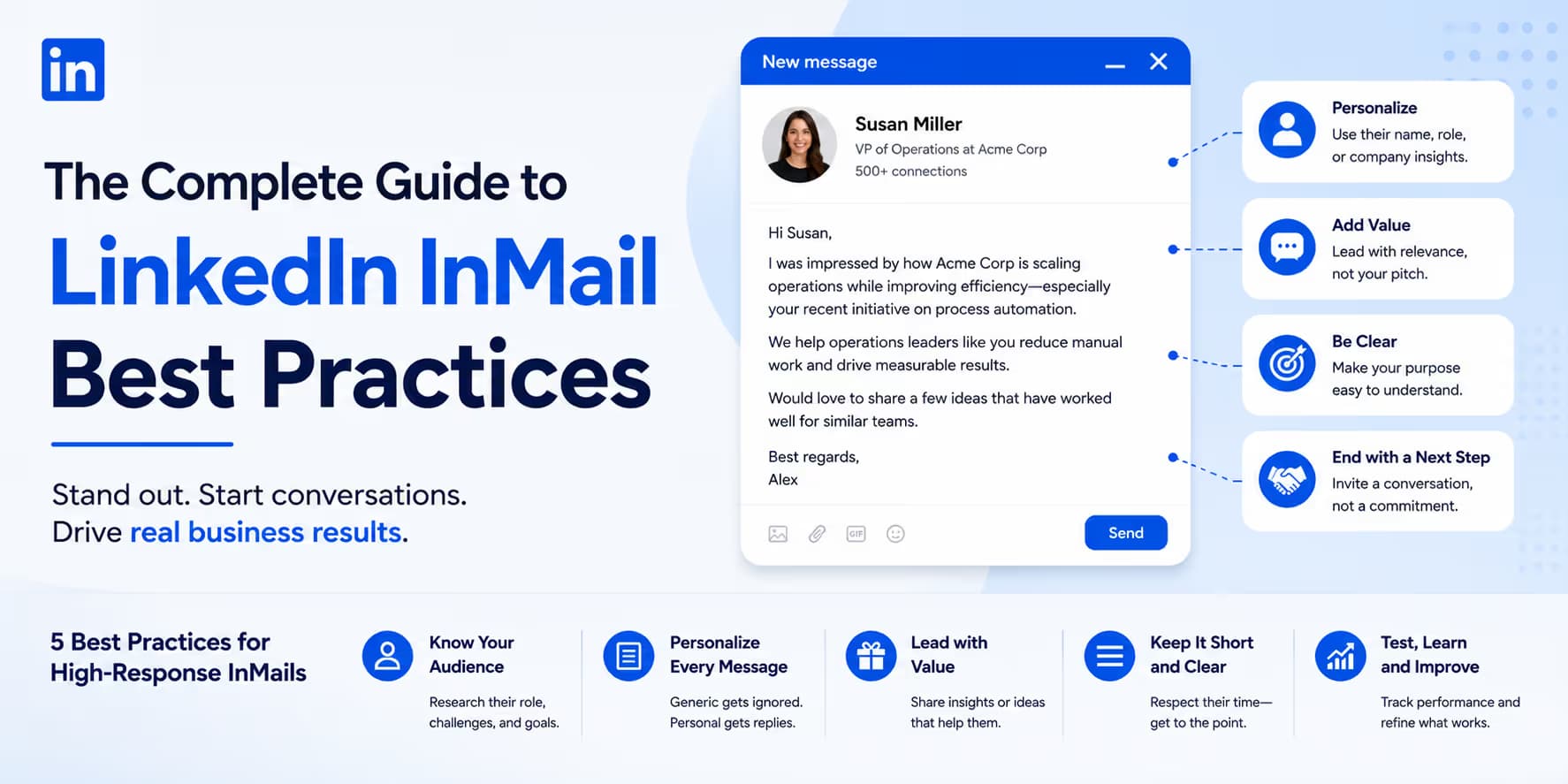
LinkedIn InMail is one of the strongest enterprise sales channels in B2B. Because InMails skip standard connection request requirements, messages land directly in the primary inbox of high-value prospects, enterprise decision-makers, and executives who keep their network settings locked down.
InMails come with a catch: they carry an explicit "InMail" or "Premium" label in the recipient's inbox. That label triggers skepticism. It announces that the message is a cold marketing reach-out. If your copy is generic, long, or overly sales-heavy, it will be archived or deleted. To raise InMail open and response rates, write with precision: tight structure and careful subject lines.
InMail vs. connection requests: when to use which
Many B2B founders and outbound reps struggle to decide between sending a standard connection request or spending a premium InMail credit.
Standard connection requests are highly effective for mid-market prospects and cost nothing. However, they are restricted to 300 characters (including spaces) and are capped at roughly 100 requests per week by LinkedIn's safety filters.
InMail, on the other hand, provides a roomy character limit (up to 2,000 characters), allows you to write a custom subject line, and lets you attach documents. However, InMail credits are limited and carry a distinct cost. You should reserve your InMails specifically for "Tier 1" accounts: high-value decision-makers at target enterprise companies who have their personal connection requests restricted or are highly inactive in expanding their public network.
The 4-Word Subject Line Rule
Never write marketing subject lines like "Revolutionize Your Outbound Sales Today!" This screams advertising. Keep your InMail subject lines under 4 words, using lowercase letters to simulate an internal email from a colleague. Subject lines like "quick question re: [Topic]" or "[Topic] on your team?" drive over 80% open rates.
The anatomy of a high-converting InMail
While LinkedIn allows up to 2,000 characters in an InMail, writing a long, dense message is the fastest way to kill your response rate. Data shows that InMails containing between 50 and 100 words consistently convert at up to 40% higher rates than longer messages.
A high-converting InMail must follow a clean, four-part structural anatomy:
- The Specific context opening: Start by establishing why you are reaching out to them specifically, referencing a real, public trigger (e.g., hiring initiatives, technology stack data, or recent company funding).
- The Core operational problem: Highlight a single, narrow pain point that peers in their position encounter daily. Keep it focused on operational friction rather than pitching your software.
- The Frictionless proof: Reference a single metric or case study showing how you solved this exact problem for a similar company, without using corporate jargon.
- The Soft call-to-action (CTA): Never request a demo or share a calendar link in the initial message. Ask a low-friction, disarming question like "Are you open to checking out a brief 1-page breakdown?"
4 proven InMail copy templates
Depending on your prospecting campaign and available data triggers, you can copy, customize, and deploy these four high-converting InMail frameworks.
"Hi [First_Name], saw your team at [Company_Name] is scale-hiring SDRs right now. Usually, scaling outbound at this velocity introduces massive data cleanup overhead.
We helped the growth team at Vanta automate lead verification completely, saving their reps about 12 hours a week. Open to skimming a brief 2-page PDF of the exact workflows?"
"Hi [First_Name], noticed you guys use Salesforce to run your sales outbound. Usually, scaling teams run into high duplicate lead rates and pipeline drop-offs as they expand.
We built a lightweight overlay to verify buyer intent and route qualified leads into Slack. Worth comparing notes?"
"Hi [First_Name], read your recent executive update outlining your goals to increase B2B pipeline conversion by 20% this quarter.
We mapped out a clean operational blueprint showing how growth teams can use automated buyer intent crawlers to hit those metrics without hiring more SDRs. Would you be open to checking out a brief PDF?"
"Hi [First_Name], saw we are both members of the Pavilion revenue group. Many revenue leaders I chat with in the community are saying that cold email deliverability has dropped by 40% this year.
We put together a brief checklist showing how we moved 70% of our pipeline onto warm LinkedIn social selling. Can I drop the link over?"
The economics of InMail: credit refund optimization
LinkedIn InMail credits are premium assets. A standard Sales Navigator subscription grants between 50 and 60 credits per month. However, there is a powerful economic loophole that most B2B sales teams neglect: The InMail Refund System.
LinkedIn automatically refunds your InMail credit if the recipient replies to your message-even if they reply with a negative response like "Not interested right now."
This makes writing disarming, brief, and highly conversational messages an economic imperative. By utilizing disarming disclaimers and soft, disarming questions, you encourage a fast reply. A simple "no thanks" returns your credit instantly, allowing you to reallocate that budget to another high-value enterprise prospect.
| Message Style | Average Response Rate | Credit Burn Rate | Financial Efficiency |
|---|---|---|---|
| Dense Sales Pitch + Calendar Link | 3% to 5% | 95% (Credits Lost) | Extremely Low (High campaign costs) |
| Short Context + Soft Value Question | 35% to 48% | 55% (Credits Returned) | Extremely High (Nets double the reach) |
Deliverability safeguards and spam avoidance
Even though InMail does not trigger standard connection request limits, LinkedIn actively monitors InMail spam signals. If your profile receives high rates of "Not Interested" classifications or if recipients consistently mark your messages as spam, your profile's outreach privileges will be restricted.
Maintain clean deliverability health by adhering to these strict rules:
- Target "Open Profiles" first: LinkedIn Premium members who enable the "Open Profile" setting can receive InMails without using credits. Flag these profiles in your list before spending paid InMail credits elsewhere.
- Avoid massive bulk sending: Never use low-grade automation scripts to blast hundreds of InMails simultaneously. Limit sending to 10 to 15 InMails daily to stay under account monitoring thresholds.
- Keep link densities zero: Do not paste raw calendar links or links to long corporate decks in the initial message. If the recipient wants to see your resources, wait for them to express interest before sending links.
Review InMail fit before spending credits
Use the InMail checklist above before spending credits. Send only when the prospect fit, context, and ask are strong enough to justify the limited inventory.
InMail mistakes to avoid
Writing high-converting InMail requires avoiding common corporate copywriting habits. Steer clear of these operational mistakes:
- Writing corporate essays: Sending a 500-word block of text detailing your founding story and system features. Busy decision-makers will immediately delete it without reading.
- Aggressive follow-ups: Sending multiple follow-up messages within 48 hours. Give prospects space; wait at least 5 business days before checking back.
- Generic placeholders: Utilizing raw data tags like `[Company_Name_LLC]` which looks highly computerized and automated. Ensure lists are cleaned thoroughly before launching.
- Pushy scheduling questions: Ending your message with "What is the best time for us to hop on a 30-minute demonstration?" This assumes interest too early and kills responses.
Frequently asked questions
A standard Sales Navigator Core subscription provides 50 InMail credits per month, while Advanced tiers grant up to 60. Remember, any InMail that receives a response is automatically refunded, allowing you to reuse that credit.
If a LinkedIn Premium member enables the "Open Profile" option in their personal privacy settings, any LinkedIn user can send them an InMail without consuming a credit. Targeting Open Profiles first is a massive cost-saving hack for growing teams.
Yes. However, we highly recommend asking for permission in your initial message first before sending attachments. This disarms sales filters and builds active dialogue.
Absolutely. Subject lines are the first thing a recipient sees. High-pressure, salesy subject lines lead to immediate deletions, while low-pressure, lowercase peer-to-peer subject lines double open and response rates.