
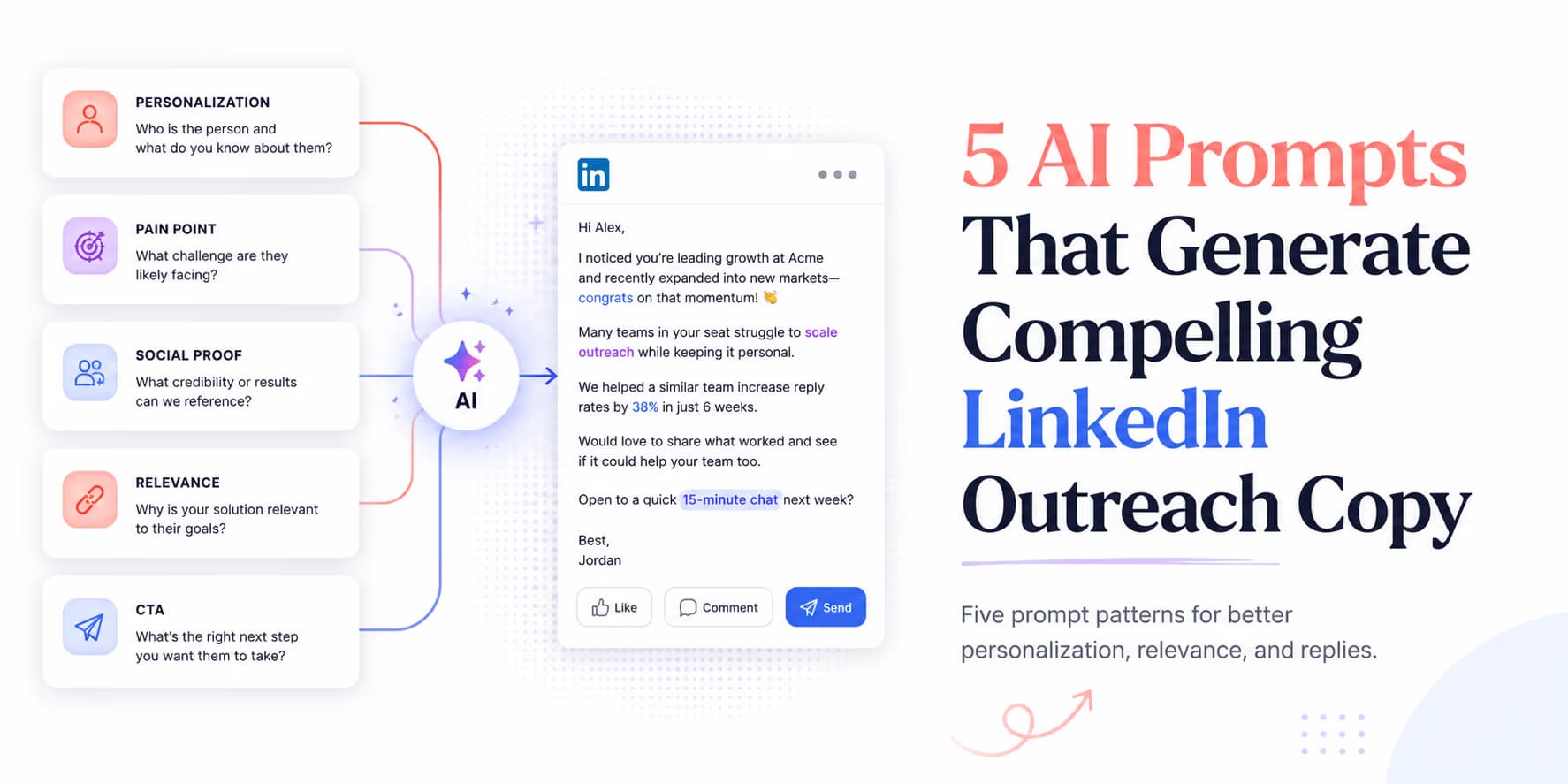
To get responses on social channels, write short, direct messages. Your outreach should open by referencing a specific trigger (such as a job change, content comment, or integration update) and lead into a conversational question.
Writing these custom notes by hand for every lead limits how many people you can contact. Structured AI prompts can generate personalized copy from verified variables.
Omentir helps manage this copywriting flow by combining product context, lead context, campaign drafting, and reviewable outreach workflows. The five prompts below are not magic templates. They are safe starting points that force the AI to write from evidence rather than vibes.
Prompt 1: the job change milestone note
A job change can be a useful reason to reach out because a new leader often reviews priorities, team process, and tooling. But do not assume they are buying. The message should acknowledge the transition and ask a relevant question, not pounce on the move as if it proves pain.
Use the prompt template below to write a direct note that references the transition without sounding like a mass congratulations campaign:
Write a short LinkedIn message for:
- Prospect: {prospect_name}
- New Role: {new_role}
- Company: {company_name}
- Public Context: {why_this_role_relates_to_your_offer}
- Product Profile: {verified_product_profile}

Rules:
1. Keep under 60 words.
2. Congratulate them on the move to {company_name}.
3. Do not assume they are changing tools or buying software.
4. Connect the new role to one role-relevant workflow from Public Context.
5. End with one low-pressure question.
This prompt works because it keeps the model from making the leap from "new role" to "needs your product." It gives the AI permission to be relevant, but not presumptuous. A good output should sound like a peer asking a timely question.
Bad output: "Congrats on the new role, are you looking for a sales automation platform?" Better output: "Congrats on the move to Acme. Curious if pipeline handoff is one of the workflows you are reviewing in the first few months?" The second version gives them room to answer naturally.
Prompt 2: the hiring board problem solver
Hiring posts are useful because they describe work the company needs done. They are not proof of budget, urgency, or tool preference. The prompt should reference the job responsibility, not overstate the meaning of the job post.
Write a LinkedIn outreach note based on this input:
- Prospect: {prospect_name}
- Role: {prospect_role}
- Hiring Post Snippet: {exact_public_snippet}
- Source URL: {source_url}
- Product Profile: {verified_product_profile}

Rules:
1. Limit to 70 words.
2. Reference only the work described in Hiring Post Snippet.
3. Do not say you know their internal priorities.
4. Ask whether they are trying to make that workflow more repeatable.
5. Keep the tone peer-to-peer.
This keeps the message grounded. A hiring post may say the new role owns outbound research, reporting, or CRM hygiene. Your prompt should use that exact evidence. If the snippet is vague, the AI should produce a softer role-based question or reject the lead.
Prompt 3: the content engagement reference
Content-based outreach is powerful when you actually engage with the idea. It is weak when the AI says "loved your post" without proving it understood anything. The prompt should force a reflection before it mentions your product.
Write a LinkedIn message based on:
- Prospect: {prospect_name}
- Topic: {post_topic}
- Prospect's Point: {one_sentence_summary_of_their_actual_point}
- Product Profile: {verified_product_profile}

Rules:
1. Keep under 70 words.
2. Reflect their actual point in plain language.
3. Do not flatter them or say "great post."
4. Connect to one relevant workflow only if Product Profile supports it.
5. End with a question they can answer in one sentence.
This prompt positions you as a peer who read the idea, not a seller scraping a feed. If you cannot summarize the prospect's point accurately, do not use a content hook. Use another prompt.
Copywriting rule: no hard pitching
Do not insert calendar links or case study URLs in the first connection message. The first job is to earn a reply, not force the buyer into a sales path.
Prompt 4: the tech stack integration hook
Tech-stack hooks are risky because teams often overclaim what a public signal proves. A script tag, job post, or integration page may suggest a workflow, but it does not always prove active usage. This prompt keeps the claim narrow.
Write a message for:
- Prospect: {prospect_name}
- Company: {company_name}
- Public Tech Signal: {exact_public_signal}
- Signal Source: {source_url}
- Product Profile: {verified_product_profile}

Rules:
1. Limit to 65 words.
2. Reference the public tech signal without saying you know their internal stack.
3. Connect to a workflow only if Product Profile supports it.
4. Ask a diagnostic question instead of pitching an integration.
5. Keep the tone direct and clear.
A safe output might say, "Saw your docs mention HubSpot routing. Curious if lead handoff is still mostly manual or already automated?" That is very different from "I know you use HubSpot and can sync leads into it." The first is public and careful. The second may be false.
Prompt 5: the permission-based discovery ask
Instead of booking a meeting immediately, ask for permission to share a short video or asset. This reduces buyer friction because the prospect can say yes without committing to a call.
Write a message based on:
- Prospect: {prospect_name}
- Role: {prospect_role}
- Buyer Problem: {specific_problem}
- Asset: {specific_asset_that_actually_exists}

Rules:
1. Keep under 60 words.
2. Address them as a peer manager in {prospect_role}.
3. Explain the asset in one concrete phrase.
4. Do not attach the link yet, wait for permission.
The asset must be real. Do not ask the AI to invent a teardown, checklist, or video that your team has not created. A permission ask builds trust only when the promised follow-through is useful.
Integrating prompts with safe outbox pacing
Strong prompts do not remove the need for safe delivery. If you send too many connection requests or messages too quickly, the campaign can still create account risk. Better copy should reduce your need for volume, not justify more of it.
Keep campaigns conservative, paced, and reviewable. New prompts should start with a small batch so you can inspect the output before scaling. If the first drafts contain unsupported claims, fix the prompt and evidence schema before sending.
Omentir coordinates campaign execution through daily quotas and human-paced queues. Learn more about safety principles in our guide to pacing LinkedIn outreach campaigns.
SOP: deploying AI prompts in campaigns
Follow these steps to deploy prompt templates:
- Step 1: Select a target list and identify the primary intent trigger (e.g. job change or hiring post).
- Step 2: Attach a source URL, exact snippet, and confidence level to every personalization variable.
- Step 3: Add your verified product profile and disallowed claims.
- Step 4: Generate a small draft batch and review the weakest examples first.
- Step 5: Reject prompts that create fake familiarity, unsupported claims, or meeting pressure too early.
- Step 6: Launch only after the drafts sound like something a careful founder would send manually.
Omentir can help manage the product context, lead context, campaign creation, and review workflow around these prompts. Your team still owns the standard for what deserves to be sent.
Add one more review step before launch: compare five drafts side by side. If they all have the same rhythm, same ask, and same vague compliment, the prompt is still too generic. Good prompt output should vary because the evidence varies, not because the model randomly swaps synonyms.
Also inspect the weakest inputs, not only the strongest ones. A prompt that works when the lead has a perfect job-change signal may fail when the only context is a role and company page. Your production campaign will contain imperfect records, so the prompt must know when to fall back or reject the draft.
Keep a small library of approved and rejected outputs. The approved examples show the model what good sounds like. The rejected examples help your team spot recurring problems: fake enthusiasm, unsupported integrations, too much pitch, or questions that feel like calendar pressure.
Testing and tuning your social copy
Writing copy for social selling requires testing, but do not optimize only for response volume. Track qualified replies, confused replies, objections, accepted conversations, and meetings that match your ICP. A prompt that gets more replies from the wrong people is not better.
Start with these five prompts, but treat them as frameworks. The quality comes from the evidence you feed them, the product truth you enforce, and the review process that catches weak drafts. Omentir provides the campaign and safety controls to help you scale that workflow without turning LinkedIn into a template machine.
Frequently Asked Questions
LinkedIn is a chat-native platform. Long, formal emails feel out of place in a chat window. Keeping messages under 75 words increases readability and response rates.
Yes, but give the model verified prospect context and your real product profile. Do not ask it to invent missing details or fill weak evidence with confident language.
Omentir uses product and prospect context during discovery and campaign creation, then helps draft LinkedIn outreach that can be reviewed or launched depending on your workflow.
No. First connection notes should never contain sales links, as they trigger spam filters and look automated. Focus on starting a conversational thread first.