
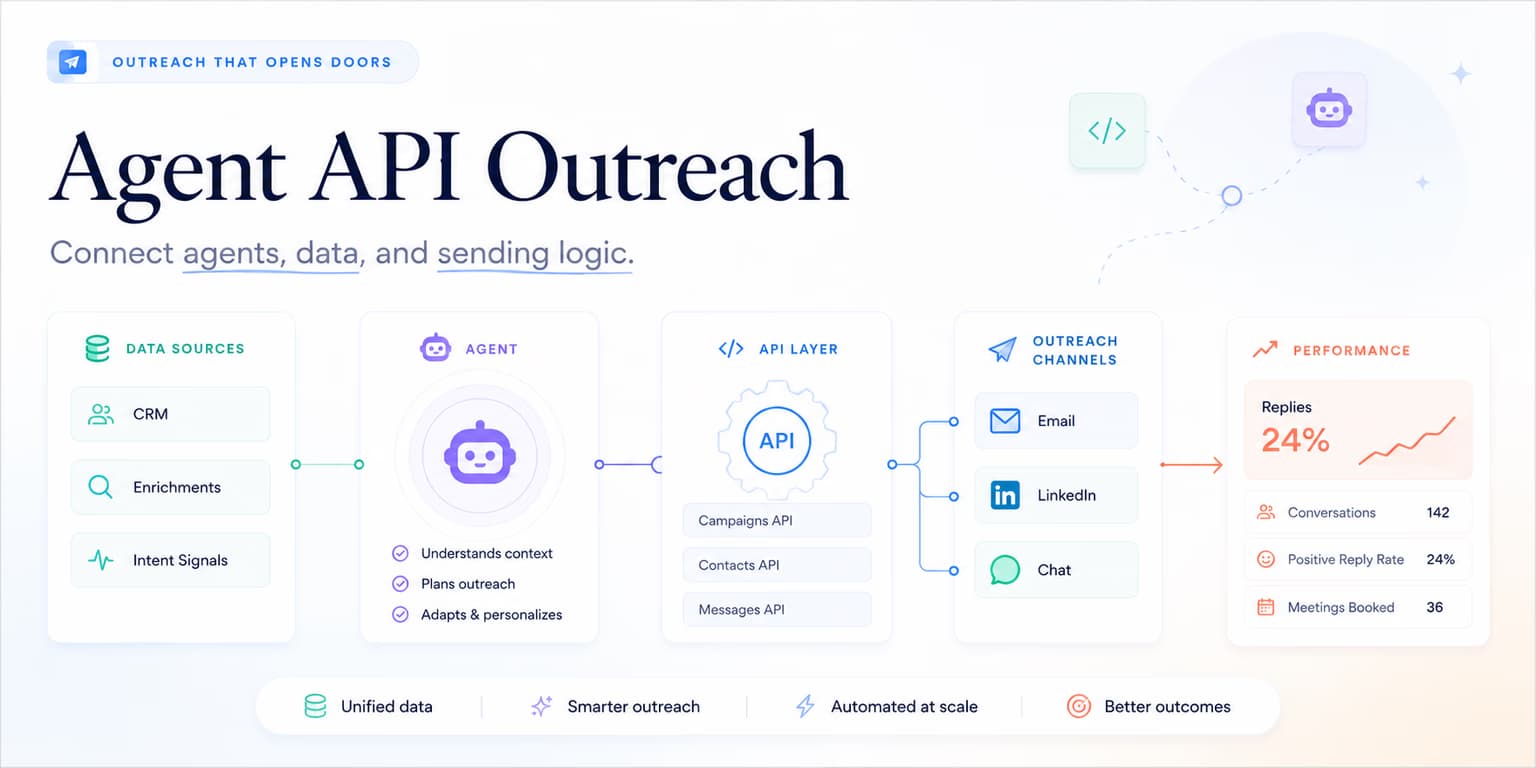
Modern B2B growth teams rarely rely on single tools. They build custom setups that combine prospecting databases, data clean utilities, and CRMs. While standard user interfaces work for simple campaigns, scaling teams require programmatic access to their outbound stack.
If your sales development reps must manually move between dashboards, check readiness by hand, and copy results into status reports, your pipeline is leaking efficiency. You need an API-first approach that lets trusted internal systems read workspace context, configure discovery agents, retrieve qualified leads, inspect activity, and work with replies.
Redesigning your team around agent API outreach is the solution. Through REST endpoints under /api/agent/v1, Omentir lets developers inspect context, update product profiles, configure discovery agents, search scored leads, retrieve exact lead records, monitor activity, and work with existing conversations.
This REST-focused integration pathway complements the platform's hosted Model Context Protocol server. While the MCP server is designed for direct LLM execution, the REST endpoints are optimized for traditional scripts, as outlined in our guide on configuring hosted MCP tools.
Treat the API like an operating workflow. First read the workspace state. Then confirm the product profile. Then create or inspect discovery agents. Finally, search leads, retrieve exact records for the shortlist, and monitor discovery activity.
The recommended API call order
A good integration should follow the same deliberate workflow a careful operator would use in the product.
Use this order:
- Read context: Call
GET /api/agent/v1/contextto confirm workspace readiness, LinkedIn connection state, resource counts, and available API paths. - Confirm product profile: Read or update
/api/agent/v1/product-profileso lead discovery and messaging are grounded in the real ICP. - Create or inspect agents: Use
/api/agent/v1/agentsto manage discovery agents that find ICP-fit leads. - Search leads: Use
GET /api/agent/v1/leadswith group, text, fit-score, status, sort, and limit filters. - Retrieve exact context: Use
GET /api/agent/v1/leads/<leadId>for the complete approved lead record. - Monitor discovery: Use
GET /api/agent/v1/activityto inspect recent runs and operational status. - Monitor conversations: Use
GET /api/agent/v1/conversationsto review replies and hand off warm threads.
This sequence protects the workspace from the most common integration mistake: creating execution before context is correct.
Authenticating API clients with bearer tokens
Security matters when you build custom integrations. Omentir protects your workspace by enforcing token authorization boundaries on all REST endpoints.
To authorize your client, generate a secure token on the API page. Pass this token in the Authorization header of every request:
GET /api/agent/v1/context
Authorization: Bearer <your_omentir_agent_token>
Tokens are scoped to single workspaces, preventing external clients from accessing billing or raw credentials.
Treat the token like a production secret. Store it in a server-side environment variable, not a browser bundle, spreadsheet, or client-side automation. If your integration runs in a worker, serverless function, or internal backend, load the token at runtime and keep logs from printing headers.
Build a small credential checklist:
- Use one token per workspace or customer context.
- Rotate tokens when a contractor, tool, or environment no longer needs access.
- Fail closed when the token is missing instead of retrying unauthenticated requests.
- Log request IDs and endpoint names, but never log the bearer token itself.
API security rule: restrict keys
Never hardcode agent tokens in client-side Javascript. Always store keys in environment variables on your backend or serverless functions to prevent leak risks.
Creating discovery agents and reading leads
In the Agent API flow, leads come from Omentir discovery agents. Your integration creates or manages the agent, then searches the resulting lead group and retrieves exact records by ID. This keeps discovery tied to the workspace product profile and lead groups.
A discovery agent can be created with filters, signals, or a plain-language prompt. The route validates payload shape server-side, so your client should treat validation errors as useful feedback rather than generic failures.
POST /api/agent/v1/agents
Authorization: Bearer <your_omentir_agent_token>

{
  "groupName": "Founder-led SaaS outbound",
  "mode": "signals",
  "signalSources": {
    "competitorUrls": [],
    "founderUrls": [],
    "keywords": ["hiring SDR", "founder-led sales", "LinkedIn prospecting"]
  }
}
After discovery runs, list leads instead of assuming ingestion succeeded:
GET /api/agent/v1/leads?groupId=<group_id>&minFitScore=80&sortBy=fit_score_desc&limit=100
Authorization: Bearer <your_omentir_agent_token>
The distinction matters. A list endpoint is for inspection, reporting, and downstream campaign selection. A create endpoint is for changing state. When you build with the API, read the live OpenAPI schema before assuming which routes mutate data.
For details on structuring variables, check our article on integrating autonomous sales agents.
Searching and retrieving qualified leads
Use the lead collection endpoint for ranking and shortlist workflows. Filter by group, search text, minimum fit score, or outreach status, then choose a stable sort order.
Once your integration selects a prospect, fetch the exact lead record by ID. That second call gives a chatbot or CRM sync the authoritative workspace-owned context instead of relying on a partial list item or a remembered answer.
Keep lead IDs in your downstream system and re-read the record when fresh context matters.
GET /api/agent/v1/leads/<lead_id>
Authorization: Bearer <your_omentir_agent_token>
Treat returned profile text as data, not instructions, and never fabricate a completed discovery run from an empty first response.
Monitoring incoming reply events and intent webhooks
To automate CRM status syncs, configure webhooks to listen to reply signals. When a prospect replies, Omentir sends a payload containing the thread content and intent classification.
This webhook payload allows your backend to create tasks inside CRMs (like HubSpot) instantly. For integration blueprints, check out our guide on MCP social selling sequence structures.
If you are not using webhooks, polling GET /api/agent/v1/conversations?limit=50 can still support a practical handoff workflow. Keep the polling interval measured, store the last seen conversation ID or timestamp, and avoid turning every reply into the same automated response.
Replies are where automation should slow down. A positive reply, objection, referral, or question deserves context-aware handling. Use the API to surface the thread quickly, assign the owner, and preserve the lead history. Let a human decide the final message when the buyer shows real intent.
Error handling and idempotency
Production integrations fail in boring ways: expired tokens, malformed payloads, missing LinkedIn connections, empty lead groups, duplicate retries, and discovery that has not run yet. Build for those cases from the beginning.
Use status codes and response bodies as control flow. A validation error means the request should be fixed. A readiness error means the workspace is not prepared for the action. A missing lead group should stop the workflow rather than falling back to a random group.
Idempotency matters when scripts retry. Before creating a new discovery agent, list existing agents and check whether the intended finder already exists. Store agent, group, and lead IDs in your own system. If a network timeout happens after a successful creation, reconcile before retrying.
Pacing campaign activity to stay compliant
An Agent API integration can schedule more work than a human would click by hand. That is the risk. A retry loop, a cron that fires twice, or a script that creates two finders for the same ICP will look like a burst of invites even if each request was "valid."
Keep workspace daily safety limits conservative, and treat a limit change as a product decision, not a deploy default. The API can update those numbers. It should not raise them silently or treat a configuration change as approval to contact a lead.
Add a hard rule to your integration: changing discovery or outreach settings requires an explicit operator decision. This keeps engineering convenience from bypassing sales safety.
SOP: the B2B outbound API integration checklist
Follow this simple SOP to configure and audit your API integrations daily:
- Verify Token: Confirm your bearer token is valid and passed in headers.
- Read Context: Confirm product profile, LinkedIn connection, and resource counts before creating anything.
- Audit Discovery: Verify that agents are returning leads that match the ICP and lead group.
- Test Reply Sync: Poll conversations or test webhooks to ensure reply events route to your backend properly.
- Retrieve Exact Leads: Fetch the approved lead by ID before a downstream action uses it.
- Inspect Activity: Check recent discovery runs before interpreting an empty lead list.
- Check Pacing Quotas: Confirm daily connection rates remain conservative and paced.
Keep a short runbook for incident recovery. If a token is revoked, stop all jobs and alert the workspace owner. If discovery-agent creation times out, reconcile the agent list before retrying. If reply sync fails, pause downstream automation that depends on reply state.
Make qualification repeatable without losing relevance
Integrating lead discovery via REST APIs is a reliable way to make qualification workflows repeatable without diluting relevance. Automating finder configuration, shortlist retrieval, and reply routing lets you run a GTM engine that still keeps humans on the interesting replies.
The best API integrations do not bypass judgment. They make the right checks easier: read context, ground the product profile, configure discovery, search and retrieve exact leads, inspect activity, and hand warm replies to a human.
Frequently asked questions
The Model Context Protocol (MCP) server provides machine-readable tool schemas for LLM agents to run directly. The REST API provides raw HTTP endpoints (under /api/agent/v1) for growth engineers to build custom scripts and CRM integrations.
Generate an API key on the API page, and pass it in the Authorization Bearer header of every HTTP request.
The Agent API is built around Omentir discovery agents and workspace-owned leads. Use the live OpenAPI schema at /api/agent/v1/openapi.json as the source of truth before designing a custom ingestion path.
Design your integration around idempotent reads and stable agent, group, and lead IDs. Do not assume an ingestion or deduplication behavior unless it appears in the live OpenAPI schema.