
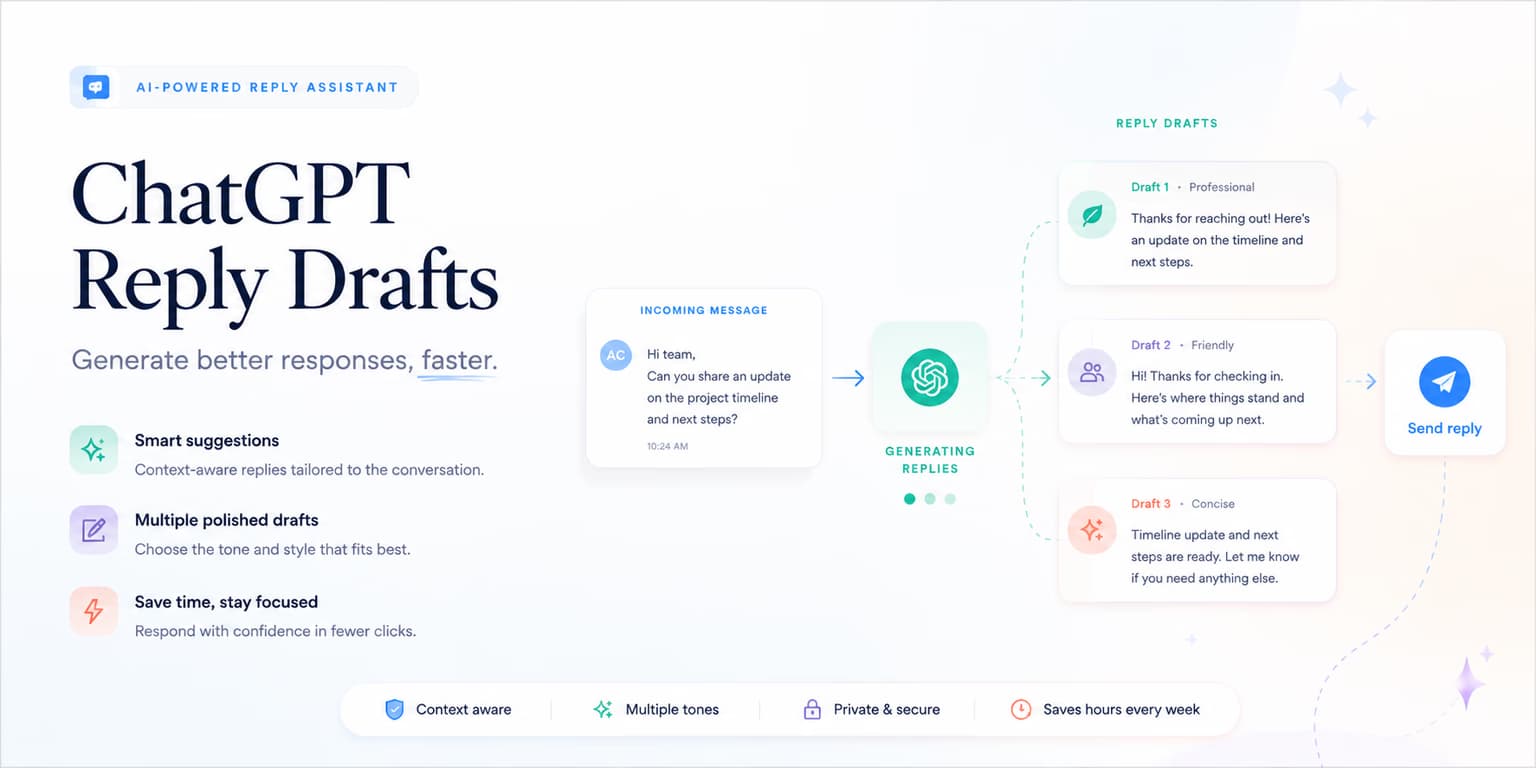
The reason is response latency. A prospect replies with a question about integration or pricing on LinkedIn, and the thread sits unanswered for hours. By the time a sales rep reviews the message, the prospect's attention has shifted.
To keep conversations moving, automate the draft, not the send. Structured prompts in ChatGPT can classify incoming replies and generate personalized responses in seconds.
Omentir puts this response layer in your workspace. It reads incoming threads, scores buyer intent, and places draft messages in your review queue so you can work the inbox in minutes a day.
The goal is not to make every reply automatic. The goal is to remove the blank-page problem. A good draft gives the human operator a strong starting point: the intent is classified, the likely next step is clear, and the response is short enough to send after a quick accuracy check.
Classifying incoming LinkedIn replies into intent buckets
Before drafting a response, your system must evaluate the buyer's reply. If you use the same message for every reply, you will confuse prospects.
Classify incoming messages into five intent buckets:
- Interested / booking: Prospects requesting a demo or asking for booking links.
- Information requests: Questions about pricing, features, integrations, or client case studies.
- Referrals: Cases where a lead tells you they are not the right person and directs you to a colleague.
- Objections: Negative responses citing lack of budget, bad timing, or competitor setups.
- Out-of-office: Automated replies or timing notifications.
For details on reply routing, check out our guide on AI reply-handling systems.
The bucket matters because it changes the job of the reply. An interested prospect needs a clear next step. An information request needs a direct answer before a call ask. A referral needs permission and a clean handoff. An objection needs acknowledgment, not pressure. A rejection needs respect and a stop.
Do not let the classifier hide uncertainty. Add an "UNCLEAR" path for messages that contain sarcasm, mixed signals, or incomplete context. Those replies should go to a human first because the cost of misreading tone is higher than the cost of waiting a few minutes.
Inbox rule: prioritize the draft review
Do not let the AI send reply drafts automatically. A human operator must verify the tone and accuracy of responses before delivery to protect account credibility.
Prompt 1: the automated intent classifier
Use this system prompt to classify incoming replies. Feed the message context into ChatGPT and request a single intent label.
You are an expert B2B sales development assistant. Analyze this reply:
"[Insert Prospect Reply]"

Classify the reply into one of these buckets:
1. INTERESTED (wants a call or link)
2. INFO_REQUEST (asks a question about features/pricing)
3. REFERRAL (directs to a colleague)
4. OBJECTION (cites budget, timing, or competitor)
5. NOT_INTERESTED (polite or blunt rejection)

Return ONLY the bucket name.
For outbound prompting rules, check out our guide to ChatGPT outreach prompts.
In production, the classifier should return more than a label. Ask for a confidence level and the phrase that caused the classification. For example, "INTERESTED, high confidence, because the prospect asked 'do you have time next week?'" is much easier to trust than a bare category.
Here is the safer version of the output format: bucket, confidence, evidence phrase, recommended next action, and whether human review is mandatory. If confidence is low, the answer should default to review. That simple rule prevents the system from treating every vague "maybe" as buying intent.
Prompt 2: handling information and pricing requests
When a prospect asks a specific question, ground the prompt in your product profile database.
You are a founder replying to a B2B sales lead on LinkedIn.
Product Profile: [Insert product details and pricing]
Prospect Question: "[Insert Prospect Question]"

Draft a response following these rules:
1. Answer the question directly using only facts from the Product Profile.
2. Keep the response under 60 words.
3. End with a question asking if they want to review a short PDF on this topic.
4. Do not offer calendar links yet.
5. Return only the reply copy.
For guidelines on first touch message structures, read our playbook on ChatGPT sales message design.
The strongest information replies answer first and sell second. If a prospect asks "does this work with founder-led sales?" do not dodge into a demo ask. Answer the question in one sentence, add one relevant detail, then ask whether they want the short version of how it would apply to their team.
Also tell ChatGPT what not to do. Do not invent integrations. Do not promise outcomes. Do not imply a case study exists unless the product profile includes it. Do not use fake urgency. A reply that overclaims may create a meeting, but it also creates a trust problem the salesperson has to clean up later.
Prompt 3: handling referral and department hand-offs
When a prospect directs you to a colleague, write a prompt to ask for their contact details or permission to mention their name.
You are a founder replying to a lead who said "talk to [Colleague Name]".
Prospect Message: "[Insert message]"

Draft a response asking:
- If it is okay to reference this conversation when contacting the colleague.
- Keep it under 30 words.
- Return only the message.
Referral replies are easy to mishandle because the prospect has helped you but has not opted their colleague into a sales conversation. Keep the tone light. Thank them, ask permission to reference the exchange, and avoid pushing for an introduction unless they clearly offered one.
A clean draft might be: "Thanks, that is helpful. Would it be okay if I mention you pointed me in their direction when I reach out?" That protects the relationship and gives the next message useful context.
Prompt 4: drafting objection responses
When prospects share objections (like budget or timing limits), write a prompt to acknowledge their situation and offer a low-risk alternative.
You are a founder replying to an objection.
Objection: "[Insert Objection]"

Draft a response that:
- Acknowledges their timing or budget limits politely.
- Offers a low-risk PDF resource without asking for a call.
- Keep it under 50 words.
- Return only the response.
For campaign guidelines, check out our guide to ChatGPT lead generation setups.
Objections are not always bad. "We already use something" means the prospect understands the problem category. "Not now" may mean the timing is wrong, not that the pain is absent. The reply should preserve the relationship, uncover the real reason if appropriate, and avoid arguing.
For competitor objections, ask ChatGPT to produce a neutral response. Do not attack the competitor. A better pattern is: "Makes sense. Teams usually look at us when they want more help with [specific gap], but if your current setup is working, no pressure." The message respects their choice while leaving a door open.
Maintaining human pacing and platform security
Reply drafts fail in a different way than first-touch invites. A buyer who just asked a real question can still get a canned paragraph three seconds later. The restriction risk is real, but the trust risk is worse: they notice that nobody read them.
Keep first-touch volume conservative, and keep replies slower than the draft is ready. Review the copy, cut the generic closer, and send it when a person would have finished reading the thread. The queue exists so you skip the blank page, not so you skip judgment.
Use your CRM or pipeline tracker as the source of truth after a conversation becomes qualified. Tools like HubSpot, Apollo.io, or Clay can sit around the workflow, but the reply itself should stay grounded in the actual LinkedIn thread and verified product profile.
Omentir's draft queue is useful here. The system classifies the reply and writes a first pass. A person still decides whether the message is accurate enough to send. You skip the blank page. You do not skip the judgment.
SOP: the ChatGPT response audit checklist
Use this SOP to set up and audit reply drafts each day:
- Acknowledge context: Check that the draft references the prospect's actual question or objection.
- Audit grounding: Confirm the copy does not invent product features or pricing.
- Brevity check: Keep the reply draft under 60 words so it fits lock screen previews.
- Enable draft mode: Stage every reply in the review queue before sending.
- Record qualified threads: Move serious opportunities into the CRM or pipeline tracker your sales team already uses.
Add one extra check for every reply: does the message advance the conversation by one step? A good response does not need to explain your entire product. It should answer the prospect, reduce uncertainty, and create a simple next action.
For interested replies, the next action may be a calendar link. For information requests, it may be one clarifying question. For referrals, it may be permission to mention the original contact. For objections, it may be a graceful close or a lightweight resource. If the draft has no next action, rewrite it.
Turning speed to lead into revenue
B2B outreach works when replies are both fast and relevant. Classify intent, ground drafts in your product profile, and keep a review queue so conversations keep moving without putting the account at risk.
Configure discovery agents, review drafts daily, and run paced sequences. That is how warm LinkedIn leads become customer conversations without turning every reply into an autopilot send.
ChatGPT is most valuable when it becomes your reply co-pilot, not your replacement. Let it classify, structure, and draft. Let a human decide whether the message is accurate, respectful, and worth sending from the company account.
Frequently asked questions
Every prospect reply is unique, containing specific context (like references to tools they use, timezone limits, or particular objections). Standard templates miss these details, whereas ChatGPT can write custom drafts that reference their words directly.
You must ground the prompt in your verified product profile using clear data separators. Instruct the LLM to only write details present in the profile, and return an error flag if the prospect asks something outside that scope.
Yes, but keep the handoff explicit. Use Omentir to organize reply intent and draft responses, then record qualified conversations in your CRM or pipeline tracker using the workflow your team already trusts.
Avoid instant robotic replies. Review the draft, make sure it answers the prospect's actual message, and send on a natural human timeline rather than trying to optimize for seconds.